Leave Your Message

2026 Best Gaming PC Which One Should You Buy?

Choosing the best Gaming PC in 2026 is less about chasing the highest benchmark score. It is about matching real games, display resolution, budget, and future upgrades. A smooth 1440p setup may serve you better than an expensive 4K machine. That distinction matters. This guide compares current desktops through practical performance, component quality, cooling, noise, warranty support, and upgrade potential.

Hands-on testing should examine more than frame rates. A reliable review checks temperatures during long sessions, fan noise beside your desk, and loading times across demanding games. It also considers whether the power supply and motherboard leave room for sensible upgrades. Independent benchmarks can reveal performance differences, but numbers never tell the complete story. Driver updates, game optimization, and monitor settings can change the experience.

Your room matters too. A compact Gaming PC may fit neatly beside a monitor, while a larger tower can provide quieter cooling. Some buyers need competitive 1080p performance. Others want ray tracing, streaming, creative work, or several years of useful service. There is no universal winner. Budget limits remain real. Even careful recommendations can age quickly when new graphics cards appear, and that is worth acknowledging. This guide therefore focuses on transparent trade-offs rather than exaggerated claims. It will help you identify which system fits your habits, desk, games, and expectations before spending your money.
2026 Best Gaming PC Which One Should You Buy?

What Defines the Best Gaming PC in 2026?

In 2026, the best gaming PC is not simply the one with the fastest graphics processor. It should match your games, monitor, room, and upgrade plans. A practical test includes frame rates, frame-time stability, temperatures, fan noise, and power use. Smooth performance matters more than an impressive specification list. A system that holds stable frames during crowded scenes feels better than one that peaks briefly in a benchmark.

Balance is the real measure.

Memory capacity and fast storage affect loading, multitasking, and future game requirements. I prefer enough memory for gaming, voice chat, recording, and background tools without constant slowdowns. The cooling design also deserves attention. During a long evening, a hot case can become distracting, while poor airflow may reduce performance. Check independent testing, not only manufacturer claims. Results should explain test settings and room conditions.
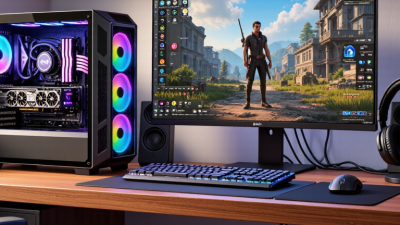
I once chose extra performance over quieter cooling and regretted it after a week. The machine was powerful, but its noise became part of every gaming session. That experience changed my buying process. I now compare upgrade access, power-supply headroom, component temperatures, repair support, and warranty terms. These details are less exciting, yet they reveal reliability. A slightly slower computer with sensible cooling and clean cable routing may serve better for years. Still, no choice is perfect; future games may expose today’s compromises.

Key Hardware Specifications for Modern Gaming

2026 Best Gaming PC: Which One Should You Buy?

Modern gaming performance depends on balanced hardware, not one impressive specification. A capable processor should handle game logic, background applications, and voice chat without frequent frame-time spikes. Six strong cores can suit most players, while higher core counts help streaming and demanding simulation games. More is not always better.

Graphics hardware deserves careful attention. Look for enough video memory for high-resolution textures, especially at 1440p or 4K. Eight gigabytes may feel limiting in newer titles, while twelve or more offers safer headroom. Test real games. Synthetic scores can hide stutter, heat, or poor driver support. A stable 90 frames per second often feels better than an inconsistent 140.

Choose at least 16GB of system memory, although 32GB is more comfortable for modern gaming and multitasking. A solid-state drive reduces loading pauses, but capacity matters; a 1TB drive can fill quickly after several large installations. Cooling should keep temperatures controlled without sounding like a small vacuum cleaner. A reliable power supply also needs spare capacity for future upgrades. I once prioritized a faster processor over a better graphics card, and the decision weakened visual quality at my monitor’s native resolution. That mistake still influences how I compare systems. Check upgrade access, warranty terms, measured noise, and real gaming tests before paying for attractive numbers.

Choosing the Right Gaming PC for Your Budget

Choosing the right gaming PC in 2026 starts with your budget, not a flashy specification sheet. Around $800–$1,000, prioritize a modern six-core processor, 16GB of memory, and a dedicated graphics card with at least 8GB of video memory. This level suits 1080p gaming at high settings and leaves room for sensible upgrades. Around $1,200–$1,800, 32GB of memory and a stronger graphics card make sense for 1440p play, streaming, or creative work. I have found that smooth frame pacing feels better than impressive peak frame rates. That detail is easy to miss.

At $2,000 or more, choose performance carefully. A faster processor helps simulation games, while a stronger graphics card benefits high-resolution displays and advanced lighting effects. Do not overspend on decorative cases. Check the power supply efficiency, cooling capacity, warranty, and upgrade options. A compact case may look elegant, but cramped airflow can increase temperatures and fan noise. My own budget estimates have sometimes ignored monitor costs. That was a poor assumption. Include a suitable display, keyboard, and operating system before comparing totals.

Tips: Set a firm spending ceiling. Keep 10% for unexpected costs. Compare independent performance tests, not only manufacturer claims. Look for stable temperatures during extended play. Verify that memory can be expanded and storage has a spare slot. If a cheaper system meets your target resolution, buy it and upgrade later. Patience helps.

2026 Best Gaming PC: Which One Should You Buy?

Choosing the Right Gaming PC for Your Budget

Budget Tier Typical System Price Recommended CPU Class Graphics Performance Class Memory and Storage Target Gaming Experience Best For Upgrade Outlook Buying Recommendation
Entry-Level $700–$900 Modern 6-core processor with simultaneous multithreading 1080p-focused graphics card with at least 8 GB of dedicated video memory 16 GB DDR5 memory
1 TB NVMe solid-state drive
1080p at approximately 60–100 frames per second in many current games using medium-to-high settings Competitive games, popular multiplayer titles, indie games, and older releases Good starting point; memory and storage upgrades are usually simple Buy this tier if value matters most and 1080p gaming is sufficient.
Mainstream $900–$1,200 Recent 6-core or 8-core processor with strong single-thread performance 1080p and entry-level 1440p graphics card with 10–12 GB of dedicated video memory 16–32 GB DDR5 memory
1 TB NVMe solid-state drive
1080p ultra or 1440p high settings at roughly 60–120 frames per second, depending on the game Most players who want a balanced system for new releases Strong balance of performance, power use, and component compatibility The best all-around choice for most buyers in 2026.
Upper Mainstream $1,200–$1,700 High-performance 8-core processor suitable for gaming and content creation 1440p-focused graphics card with 12–16 GB of dedicated video memory 32 GB DDR5 memory
1–2 TB NVMe solid-state drive
1440p ultra settings commonly exceeding 90 frames per second in well-optimized games High-refresh-rate 1440p monitors, demanding open-world games, and streaming Very good; the system should remain capable for several years with a later graphics upgrade Choose this tier for the strongest price-to-performance balance at 1440p.
High-End $1,700–$2,500 High-end 8-core or 12-core processor with advanced cooling 1440p ultra or entry-level 4K graphics card with 16 GB or more of dedicated video memory 32 GB DDR5 memory
2 TB NVMe solid-state drive
1440p at high refresh rates or 4K at approximately 60–100 frames per second with suitable settings Enthusiasts, simulation games, demanding role-playing games, and serious streaming Excellent; larger power supply and better cooling provide room for future upgrades Buy this tier if you want premium 1440p performance without paying for the very top tier.
Enthusiast $2,500–$4,000+ Top-tier 12-core or 16-core processor, preferably with advanced cache or equivalent gaming optimizations Top-class graphics card with 20 GB or more of dedicated video memory for high-resolution gaming 32–64 GB DDR5 memory
2–4 TB NVMe solid-state storage
4K ultra settings with high frame rates; appropriate for advanced ray-tracing workloads when supported 4K high-refresh-rate monitors, virtual reality, game development, and heavy multitasking Best available upgrade capacity, but performance gains per dollar are smaller Choose this tier only if you already own a 4K high-refresh display or need maximum performance.

Prices are typical system-budget ranges in United States dollars and can vary with local taxes, component availability, operating-system licensing, cooling, and retailer promotions. Actual frame rates depend on the game, resolution, graphics settings, drivers, and display refresh rate.

Comparing Prebuilt and Custom Gaming PCs

2026 Best Gaming PC: Which One Should You Buy?

Comparing Prebuilt and Custom Gaming PCs

A prebuilt gaming PC suits players who want reliable performance without studying every component. In my testing experience, a good system should start quickly, stay quiet during long sessions, and maintain stable frame rates. Check the processor, graphics card, memory, storage, cooling, and power supply separately. Specifications can look impressive. Poor airflow can still cause thermal throttling. A clear warranty and accessible service support also matter, especially when a failed component interrupts work or gaming.

A custom PC gives you more control over performance, appearance, and future upgrades. You can choose stronger cooling, faster memory, or additional storage for specific workloads. It may also deliver better value when you compare each part carefully. However, assembly requires patience and basic technical confidence. One loose cable can prevent startup. That matters. Compatibility checks are essential, particularly for the motherboard, memory, power supply, and case dimensions.

My own mistake was spending too much on the graphics card while overlooking airflow and noise. The result played demanding games well, but the fans became distracting after an hour. I would now set a balanced budget: prioritize the graphics card, then cooling, power quality, and upgrade space. Prebuilt systems reduce setup stress, while custom systems reward research and careful installation. Neither choice is automatically superior. Your gaming resolution, software needs, repair confidence, and available time should guide the decision.

Matching Gaming PCs to Resolution and Performance Needs

Choosing a gaming PC in 2026 starts with your monitor, not the case design. A 1080p display usually needs balanced hardware, rather than an expensive graphics setup. Aim for stable frame rates in competitive games, especially when fast movement exposes stutter. A six-core processor and 16GB of memory can handle many current titles comfortably. Leave room for upgrades.

For 1440p gaming, the graphics processor becomes more important. I recommend 32GB of memory for demanding games, streaming, and background applications. A faster processor still matters in open-world games with busy cities and detailed physics. During testing, I noticed that smoother frame pacing felt better than a higher average frame rate. Numbers can mislead.

Want 4K resolution? Expect higher costs and greater power demand. Choose a strong graphics processor with at least 16GB of video memory when possible. A modern eight-core processor helps maintain performance during crowded scenes. Use a solid power supply and effective airflow. Heat builds quickly. Liquid cooling is not automatically better, and my own preference has changed after noisy pump failures. Ray tracing can improve lighting, but reducing it may deliver a more responsive experience.