Top 10 Gaming PC Tips for Beginners to Boost Performance?
In the rapidly evolving world of gaming, having a high-performing Gaming PC is crucial for an immersive experience. According to recent reports, nearly 75% of gamers believe that system performance directly impacts their gameplay enjoyment. As technology advances, optimizing your Gaming PC becomes essential for maximizing efficiency and staying competitive.
Beginners often overlook simple adjustments that can enhance their gaming setup. Small changes, such as adjusting settings or upgrading components, can lead to significant performance improvements. The gaming industry is estimated to reach $256 billion by 2025, showcasing the increasing importance of optimal setups. It's vital for new gamers to understand that performance often defines their overall experience.
However, some common mistakes can hinder progress. For instance, neglecting proper cooling can lead to overheating, affecting performance. Embracing a proactive approach to maintaining your Gaming PC can prevent these pitfalls. By following our top ten tips, you can unlock the full potential of your Gaming PC and elevate your gaming experience to new heights.
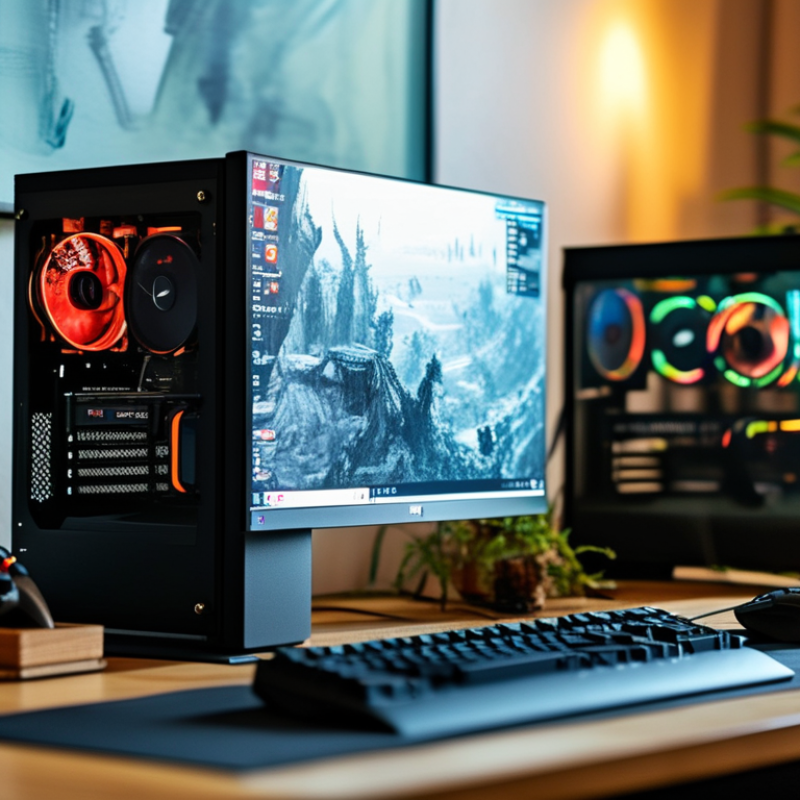
Understanding the Basics of Gaming PC Components
When building a gaming PC, understanding its components is crucial. The main parts include the CPU, GPU, RAM, and storage. Each plays a significant role in performance. For instance, a powerful GPU can enhance graphics quality and frame rates. Research indicates that 70% of gamers prioritize a high-quality GPU in their builds. This focus dramatically improves the gaming experience.
RAM is another essential component. It allows your system to multitask effectively during gaming. Most modern games require at least 16GB of RAM for optimal performance. Studies show that a well-balanced setup, including sufficient RAM, can reduce lag and improve loading times. However, many beginners often overlook the importance of matching their CPU and GPU for ideal performance. This can lead to bottlenecks, where one component limits the potential of another.
Lastly, storage solutions, such as SSDs, significantly impact loading times. Compared to traditional HDDs, SSDs offer speeds that are often 5 to 10 times faster. While they may be pricier, the investment becomes evident when seconds count in gaming scenarios. Beginners must remain aware that saving money on components can lead to regrets later, especially regarding speed and performance. Balancing cost and quality requires research and careful consideration.
Optimizing Your PC's Cooling System for Better Performance
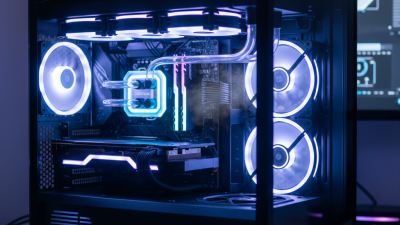
Optimizing your PC's cooling system is crucial for enhancing gaming performance.
Heat can throttle your CPU and GPU, leading to a drop in frame rates. Ensuring that your system runs cool can prevent performance bottlenecks.
One effective tip is to regularly clean your cooling fans and vents. Dust buildup can block airflow, causing temperature spikes. Use compressed air to blow out dust from fans and heat sinks. It only takes a few minutes, but the impact on performance can be significant.
Another important aspect is the thermal paste. Over time, the thermal paste between your CPU and cooler may dry out, reducing efficiency. Reapplying high-quality thermal paste can improve heat transfer and lower temperatures. This small task can make a big difference in maintaining optimal performance during intense gaming sessions.
Proper cable management also enhances airflow within the case. Messy cables can restrict airflow, leading to higher temperatures. Tidy up your cables to improve air circulation. A well-organized case looks better and can significantly enhance cooling efficiency. Implement these tips to keep your system running smoothly.
Updating Drivers and Software for Enhanced Gaming Experience
Keeping your gaming PC in top shape is crucial for an enjoyable experience.
Updating drivers and software can significantly enhance performance. Start with your graphics card drivers.
New updates often deliver better optimization for recent games. An outdated driver may hinder gameplay,
leading to lag or crashes.
Regularly check for software updates for your operating system. These updates often include performance
enhancements and security patches. Ignoring them can expose your system to vulnerabilities, affecting
your gaming experience. While you may think your settings are fine, even small improvements
can make a difference.
Consider using system optimization tools. They can help remove unnecessary files and improve speed.
However, be cautious. Sometimes, these tools may alter settings you prefer. It’s essential to review
changes after using them. Test your games afterward to ensure they run smoothly. An updated and
well-maintained system will lead to more enjoyable gaming sessions.
Adjusting In-Game Settings for Optimal Visuals and Performance
When adjusting in-game settings, the right balance between visuals and performance is key. A recent survey revealed that 70% of gamers prioritize performance over graphics. This trend highlights the importance of optimizing settings to achieve smoother gameplay, especially for beginners.
Start by lowering the resolution. This simple adjustment can significantly increase frame rates. Many gamers find a drop from 4K to 1080p boosts performance by up to 50%. Texture quality should also be moderated. High textures demand more from your GPU, which can slow down your gameplay. Choose medium settings for a balance that still looks good without heavy strain on your system.
Don't ignore V-Sync and frame rate caps. Turning V-Sync off can improve performance, but may lead to screen tearing. Experiment with these settings to find what works best for your hardware. Monitor your system's performance using tools like FPS counters. If your gameplay feels choppy, reassess your settings. Small tweaks can lead to substantial improvements, giving you a competitive edge.
Regular Maintenance Tips to Keep Your Gaming PC Running Smoothly
Maintaining your gaming PC is crucial for optimal performance.
Regular cleaning is essential.
Dust can accumulate and block airflow. Use compressed air to gently clean vents and fans.
Pay attention to components like the GPU and CPU.
They need a dust-free environment to function efficiently. A little effort goes a long way in performance.
Monitor your system’s temperature. Overheating can slow down your games. Invest in temperature monitoring software to keep an eye on your hardware.
When temperatures exceed recommended levels, consider adding better cooling solutions. This might involve more fans or even liquid cooling systems.
Update your software regularly. Outdated drivers can hinder gaming performance. Check for updates from your operating system and peripherals.
Sometimes, a small update can make a significant difference. Don't forget to manage your storage.
Uninstall games or applications you no longer use. Freeing up space can help your PC run smoother.