Choosing the best Gaming PC to buy in 2026 is not just a contest of maximum frame rates. It is a match between your games, monitor, budget, and room to upgrade. A system built for competitive shooters may favor high refresh rates and a strong processor. A machine for expansive role-playing games may benefit more from a powerful graphics card and ample memory. Small details matter, too: fan noise during a late-night session, the number of available ports, and whether the case fits beneath your desk. They are easy to overlook. You might regret that.
PC hardware editor Jarred Walton’s component-focused reviews reflect a useful buying principle: match parts to the games and display you actually use, rather than chasing impressive numbers alone. That advice deserves a second look in 2026, when product names, new releases, and performance claims can make comparisons confusing. This guide will weigh real-world gaming performance, build quality, upgrade options, cooling, and total cost. It will also distinguish sensible compromises from corners that may frustrate you later. No single PC suits everyone. A premium graphics card is wasted on some setups, while a bargain system can feel cramped sooner than expected. The best choice is the one that performs reliably for your games today and leaves a practical path forward. Not the flashiest box.
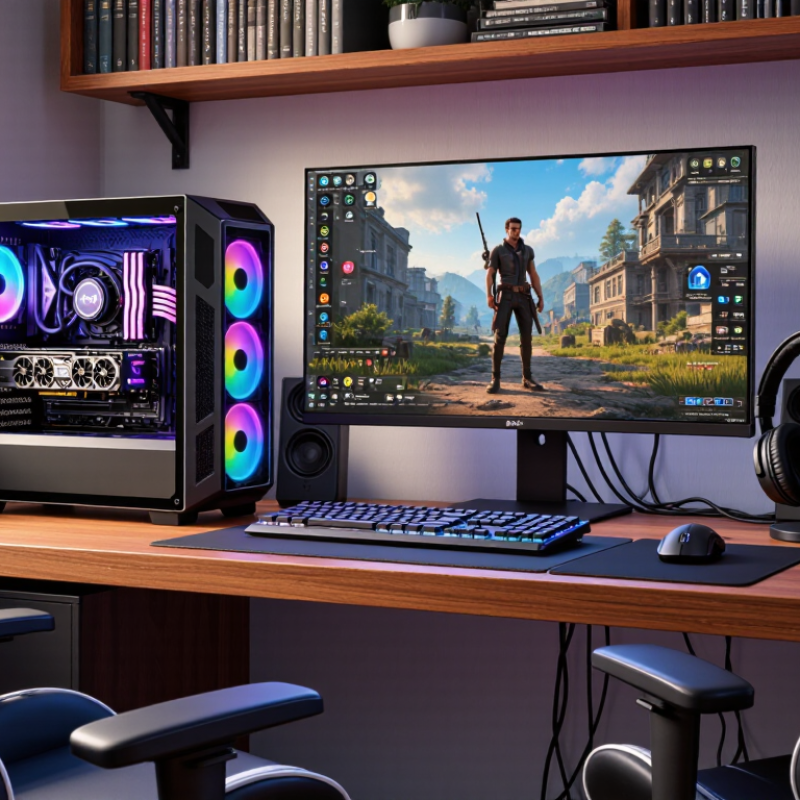
The best gaming PC is the one that fits your games, display, and budget—not simply the one with the highest specifications. Start with the games you actually play. A fast-paced competitive game may benefit from high frame rates, while a visually rich single-player game may need more graphics power. Check performance tests at your monitor’s resolution, not just broad claims about speed. Small details matter. A system that runs quietly beside your desk may suit you better than a louder machine with slightly higher results.
Set a spending limit that includes the monitor, keyboard, and any needed upgrades. Then compare the processor, graphics card, memory, and storage as a balanced system. For many players, 16 GB of memory is a practical starting point; heavier multitasking may call for more. A 1 TB drive can fill quickly with large games. Also check cooling, case size, and upgrade access. It is easy to overvalue one impressive component and overlook everyday comfort. I would still compare more real-world tests before buying.
Tips: Write down three games and your target resolution. Look for tests matching both. Check return terms and warranty support, too. Leave some budget for a headset or extra storage. Don’t chase perfect specs. They change fast.
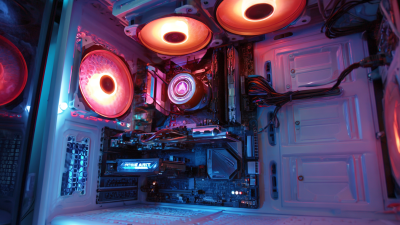
A good gaming PC in 2026 is the one that fits the games you actually play, not the biggest number on a spec sheet. For competitive games at 1080p, a capable midrange processor, a strong graphics card, and a 144 Hz monitor can feel quick and responsive. You may not need top-tier hardware. That matters.
For visually rich games at 1440p, prioritize the graphics card and choose enough memory for current games and background apps. A fast 1 TB solid-state drive gives you room for several large titles, though storage needs vary. Check independent performance tests at your preferred resolution; results at 1080p may not predict how a system handles 4K. A sensible target is smooth frame delivery, not just a high peak.
A 4K setup with demanding effects can justify a higher performance tier, but it also brings higher costs and may need a better monitor. Set a budget that includes the display, cooling, and possible upgrades. Then compare complete systems, not isolated components. I would be cautious about buying extra power for games you rarely play. Even careful forecasts can miss next year’s demands. Leave some room for that uncertainty.
A gaming PC in 2026 should be chosen around the games and screen you actually use. The graphics card usually matters most for high-resolution play and detailed visual effects. Check real game benchmarks at your target resolution, not just headline performance claims. Frame rates can vary. Video memory also matters, especially with high-resolution textures and demanding games. Too little can cause stutters that no fast processor can fully fix.
The processor should keep pace without consuming money better spent on graphics. For many players, a capable modern processor and 32 GB of memory provide sensible room for multitasking. Heavy simulation games or creative workloads may benefit from more. A fast solid-state drive shortens loading, but it rarely transforms frame rates. Cooling deserves attention, too. During a long session, listen for loud fans and watch whether performance drops as the system warms. A tidy case is useful, but airflow matters more than looks.
Choose a power supply with reliable capacity for the installed components and some upgrade headroom. Confirm that the case, cooler, and graphics card physically fit together; product dimensions are easy to overlook. Ports, wireless networking, and repair access can affect daily use more than a small benchmark advantage. There is no perfect spec sheet. I would leave room in the budget for a better monitor, because a powerful PC cannot make a low-quality display look sharp.
| Hardware Feature | Practical 2026 Target | Higher-End Target | Why It Matters |
|---|---|---|---|
| Graphics card (GPU) | Choose a GPU suited to the target resolution; 12 GB of video memory is a sensible target for many 1440p builds. | For 4K, high-resolution textures, or demanding ray tracing, prioritize stronger GPU performance and 16 GB or more of video memory where budget allows. | The GPU usually has the greatest effect on gaming frame rates and visual quality. Performance varies by game, settings, and resolution. |
| Processor (CPU) | A recent 6-core or 8-core desktop processor is suitable for a balanced gaming system. | An 8-core or faster processor can be useful for high-refresh-rate gaming, simulation games, streaming, or heavy multitasking. | CPU performance matters most when a game is processor-limited, particularly at lower resolutions or very high frame rates. |
| System memory (RAM) | 32 GB is a practical capacity for a new gaming PC and leaves room for background applications. | 64 GB is mainly useful for content creation, virtual machines, or other memory-intensive workloads alongside gaming. | Insufficient memory can cause stuttering or force applications to rely more heavily on storage. Check motherboard compatibility and use a matched memory kit. |
| Primary storage | A 1 TB NVMe solid-state drive is a reasonable starting point; 2 TB offers more room for a game library. | Consider 2 TB or more, or a system with an additional M.2 slot for later expansion. | An SSD reduces loading times compared with a hard drive. For most games, a top-tier PCIe generation is less important than capacity and overall system balance. |
| Cooling and airflow | Look for a ventilated case with unobstructed intake and exhaust airflow and appropriately sized CPU cooling. | For power-hungry components, choose a case and cooling setup that can maintain steady temperatures without excessive fan noise. | Good airflow helps components sustain performance and can reduce heat-related noise. Cooling needs depend on component power and case design. |
| Power supply (PSU) | Use a reputable, appropriately rated PSU sized for the complete system and the graphics card’s stated power requirements. | Allow additional capacity for a high-power GPU or future upgrades, and confirm the required connectors are included. | A suitable PSU supports stable operation. Wattage should be selected for the actual components rather than relying on a one-size-fits-all figure. |
| Motherboard and upgrade options | Check processor-socket compatibility, enough memory slots, multiple storage options, and the ports you need. | A board with spare M.2 capacity, useful rear USB connectivity, and a suitable expansion layout can simplify future upgrades. | Features and compatibility matter more than premium labels. Verify the exact CPU, memory, case, and storage support before buying. |
| Monitor and resolution match | For 1440p gaming, prioritize a capable GPU and pair it with a monitor whose refresh rate matches the frame rates you expect. | For 4K gaming or very high refresh rates, budget for a substantially stronger GPU and check performance in the games you play. | A PC is only as useful as its display pairing. Higher resolution and refresh rate generally require more graphics performance. |
| Overall value | Compare complete system specifications, warranty coverage, upgrade access, and the total price. | Spend extra where it improves your chosen games or workload; avoid paying for features that will not be used. | There is no single best configuration for everyone. The right choice depends on budget, games, resolution, desired frame rate, and upgrade plans. |
Specifications are general buying guidance, not guaranteed frame-rate claims. Check current independent reviews and component compatibility before purchase.
What Is the Best Gaming PC to Buy in 2026?
How to Compare Prebuilt Gaming PCs and Custom Builds
A fair comparison starts with the games you play, your monitor resolution, and your budget. A system that runs esports titles smoothly may struggle with demanding games at high settings. Compare frame-rate tests from the same games and resolution, not just processor or graphics specifications. Check.
Prebuilt PCs offer convenience, one point of contact for support, and less assembly work. Read the warranty terms carefully, and inspect the listed power supply, cooling setup, and memory. These details affect noise, reliability, and future upgrades. A glass side panel looks appealing, but it tells you little about airflow. Small details matter.
A custom build can give you more control over parts and upgrade options, but the total cost includes more than components. Account for assembly, operating system, and troubleshooting time. Compare equivalent parts, then check whether the case can fit a larger graphics card later. Neither route is automatically cheaper. I would also leave room for uncertainty: published performance varies with game updates, temperatures, and settings, so treat one benchmark as a clue, not a promise.
How to Compare Prebuilt Gaming PCs and Custom Builds
Relative ratings are a general buying guide, not benchmark results. Custom builds often offer more control over parts and upgrades, while prebuilts can be quicker to set up and may include a single system-level warranty. Actual cost, warranty coverage, and upgrade options vary by configuration and seller. Compare systems with similar graphics performance, memory, and storage before deciding.
Choosing the best gaming PC starts with your actual setup, not the biggest specifications on a shelf. Match the graphics hardware to your monitor: a system built for high-resolution gaming may be wasted on a basic 1080p display.
Newzoo’s 2024 Global Games Market Report estimates 3.4 billion players worldwide, but that broad figure cannot tell you what your own games demand. Check recommended system requirements for the titles you play, then compare independent performance tests at your screen’s resolution.
Plan the upgrade path before choosing a case or motherboard. Check graphics-card length against the case, confirm the power supply has suitable capacity and connectors, and leave accessible slots for memory and storage.
Small details matter. A cramped case can turn a routine upgrade into a frustrating rebuild. Choose enough memory for current games and background apps, while checking the motherboard’s supported capacity and slot layout.
Storage fills quickly; a second drive bay can be more useful than a small performance gain. I would not assume every upgrade will be worthwhile: platform limits, heat, and budget can make replacing one part a poor deal.
Leave room for change. Read specifications carefully, because product listings do not always make compatibility obvious.