Leave Your Message
- Phone
- E-mail
- Whatsapp

A Custom PC build is more than a list of expensive parts. It is a set of choices shaped by the work, budget, space, and experience of its owner. Computer scientist Alan Kay once said, “The best way to predict the future is to invent it.” That idea fits PC building: selecting components lets users create a system around what they need today, while leaving room for tomorrow.
This guide explores ten Custom PC builds for distinct goals, from smooth 1080p gaming to demanding creative work. Each build should be judged by balance, not one impressive component. A powerful graphics card paired with limited memory can feel like a fast car on a narrow road. We will consider performance, upgrade options, cooling, noise, and practical costs. Small details matter. A compact case may look tidy, but tight cable space can make assembly frustrating.
Prices and availability change, and performance varies by software, settings, and region. Treat each parts list as a starting point, not a permanent recipe. Even a carefully researched build can miss the mark for an individual user. That deserves a second look. The best choice is the one that fits your real workload without paying for power you will rarely use.
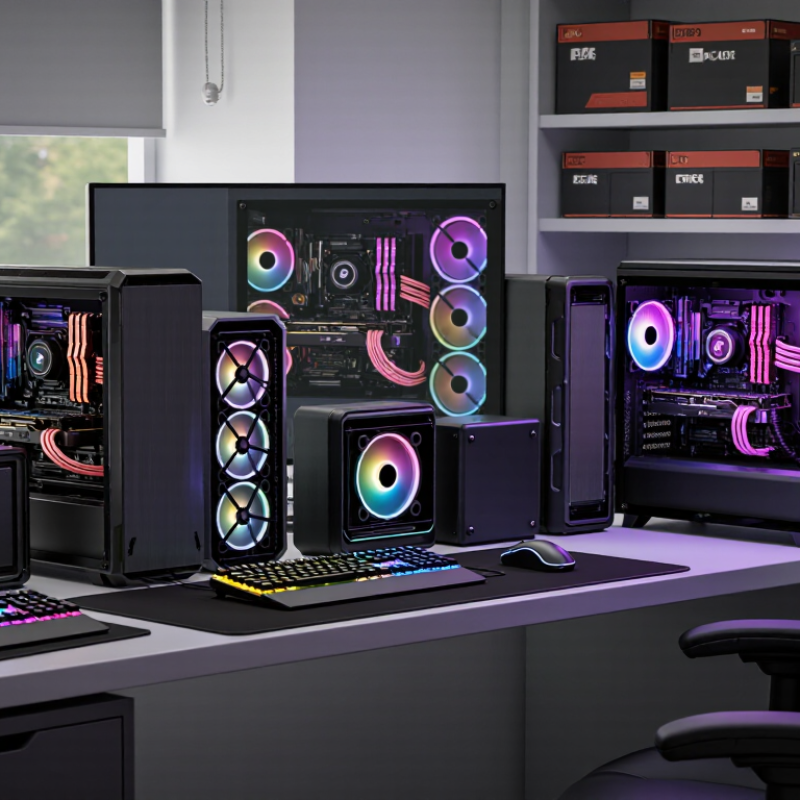
The ten custom PC builds are selected against clear, repeatable workloads—not attractive parts lists. Each system is compared at its intended resolution, with the same game settings and benchmark scenes. Reviewers record average frame rates, one-percent lows, CPU and GPU temperatures, noise, and power draw. A build that feels smooth in a crowded game scene matters more than one with a strong peak score. Small differences can be noisy, so results should be repeated.
The comparison also weighs cost, upgrade room, and daily usability. IDC reported 262.7 million traditional PC shipments worldwide in 2024, a 1.0% increase over 2023. That broad market figure is not a gaming-performance measure, but it underlines why build recommendations should explain their intended buyer and budget. Each configuration should list its total cost, memory capacity, storage, cooling approach, and estimated power needs. Check clearances, too: a long graphics card beside tightly routed cables is a real fit problem.
Testing should disclose the operating system, drivers, ambient room temperature, and benchmark version. A five-degree temperature difference may reflect the room, not the cooler. We should admit a limitation: short tests cannot prove long-term reliability. Results also vary across individual components. The rankings therefore reward balanced evidence, not a single dramatic chart.
A brand-neutral comparison of representative PC configurations for different budgets and workloads.
| Build | Best suited for | Processor | Graphics | Memory | Storage | Cooling and case | Power supply | Estimated total | Editorial score | Selection strengths |
|---|---|---|---|---|---|---|---|---|---|---|
| 1. Essential Desktop | Office work, web use, and everyday home computing | 6-core processor with integrated graphics | Integrated graphics | 16 GB DDR4 or DDR5 | 1 TB NVMe SSD | Stock-class air cooler; compact airflow case | 450 W, 80 Plus Bronze class | $400–$550 | 8.2 / 10 | Low cost, simple setup, and no separate graphics card required |
| 2. Entry-Level Gaming | 1080p gaming at modest settings | 6-core processor | Entry-level discrete graphics, 8 GB | 16 GB DDR4 or DDR5 | 1 TB NVMe SSD | Single-tower air cooler; airflow-focused mid-tower case | 550 W, 80 Plus Bronze class | $650–$850 | 8.4 / 10 | Affordable dedicated graphics and a practical upgrade path |
| 3. Balanced 1080p Gaming | High-refresh 1080p gaming and general use | 6-core processor with strong single-thread performance | Mainstream graphics, 8–12 GB | 32 GB DDR5 | 1 TB NVMe SSD | Single-tower air cooler; ventilated mid-tower case | 650 W, 80 Plus Gold class | $850–$1,150 | 9.0 / 10 | Good balance between gaming performance, cost, and upgrade flexibility |
| 4. Mainstream 1440p Gaming | 1440p gaming with high visual quality | 8-core processor | Upper-mainstream graphics, 12–16 GB | 32 GB DDR5 | 2 TB NVMe SSD | Dual-tower air cooler; airflow-focused mid-tower case | 750 W, 80 Plus Gold class | $1,150–$1,550 | 9.2 / 10 | Strong all-round gaming capability without premium-tier costs |
| 5. Compact 1440p Build | Small-form-factor gaming and everyday productivity | 8-core processor | Upper-mainstream graphics, 12–16 GB | 32 GB DDR5 | 2 TB NVMe SSD | Low-profile air cooler; compact mesh case | 750 W, 80 Plus Gold class, compact form factor | $1,300–$1,800 | 8.7 / 10 | Space-efficient design; compact parts can add cost and require careful fit checks |
| 6. High-Refresh 1440p Gaming | Fast-paced games and high-refresh 1440p displays | 8-core processor with high gaming performance | High-performance graphics, 16 GB | 32 GB DDR5 | 2 TB NVMe SSD | Dual-tower air cooler or 240 mm liquid cooler; ventilated case | 850 W, 80 Plus Gold class | $1,600–$2,200 | 9.1 / 10 | Prioritizes smooth frame rates while retaining useful multitasking capacity |
| 7. Entry-Level 4K Gaming | 4K gaming with settings adjusted to the game | 8-core processor | High-end graphics, 16 GB | 32 GB DDR5 | 2 TB NVMe SSD | High-capacity air cooler; large airflow case | 850 W, 80 Plus Gold class | $2,000–$2,700 | 8.8 / 10 | Allocates more of the budget to graphics, which typically matters most at 4K |
| 8. Gaming and Streaming | Gaming, live streaming, and frequent multitasking | 12-core processor | High-end graphics, 16 GB | 64 GB DDR5 | 2 TB NVMe SSD plus 2 TB secondary SSD | 240–360 mm liquid cooler; spacious airflow case | 1,000 W, 80 Plus Gold class | $2,400–$3,300 | 8.9 / 10 | Extra memory and storage support simultaneous gaming and content tasks |
| 9. Content-Creation Workstation | Video editing, 3D work, software development, and rendering | 16-core processor | High-end graphics, 16–24 GB | 64 GB DDR5 | 2 TB NVMe SSD plus 4 TB project drive | 360 mm liquid cooler or high-capacity air cooler; large case | 1,000 W, 80 Plus Gold class | $3,000–$4,200 | 8.8 / 10 | Balances processor throughput, graphics capability, memory, and project storage |
| 10. Enthusiast Workstation | Heavy rendering, complex simulations, and demanding professional workloads | 24-core or higher workstation-class processor | Top-tier graphics, 24 GB or more | 128 GB DDR5 or workstation memory | 2 TB NVMe system drive plus 4 TB or more project storage | High-capacity liquid or air cooling; full-size airflow case | 1,200 W or higher, 80 Plus Gold class | $4,500–$7,000+ | 8.3 / 10 | Maximum expandability and capacity; best value only when workloads use the extra resources |
How the builds are selected and compared: Configurations represent distinct budget and workload categories rather than a single universal ranking. Editorial scores weigh performance fit (35%), overall value (25%), upgrade flexibility (15%), thermal and power practicality (15%), and ease of building (10%). Scores are comparative planning judgments, not laboratory benchmark results. Component compatibility, power requirements, cooling clearances, and current prices should be checked before purchase.