What Are the Top Types of Watercooling Parts?
Watercooling Parts are no longer limited to extreme gaming computers. They now support quiet workstations, overclocked systems, compact builds, and demanding creator rigs. A practical loop usually includes a CPU block, GPU block, pump, reservoir, radiator, fans, tubing, fittings, coolant, and monitoring controls. Each component affects heat transfer, noise, maintenance, and long-term reliability.
Market research from Grand View Research describes PC water-cooling systems as a growing hardware segment, driven by higher processor power and enthusiast demand. That growth reflects a real engineering problem. More electrical power becomes heat. The U.S. Department of Energy has also reported that cooling can represent a substantial share of data-center electricity use, sometimes approaching 40 percent. Desktop systems are smaller, but the thermal principle remains relevant. Cooling capacity must match the heat load.
There is no perfect ranking.
The top types of Watercooling Parts depend on the build. A copper cold plate may improve thermal transfer, while a thicker radiator needs stronger airflow and more case space. Pump-reservoir combinations simplify installation, but separate units can offer greater placement flexibility. Soft tubing is forgiving. Hard tubing looks precise, yet it demands careful cutting and fitting. ASHRAE guidance and Uptime Institute research repeatedly emphasize airflow, temperature control, maintenance, and operational resilience. Those priorities also matter in personal computers, even if the environment is less demanding. This guide compares the main parts by function, compatibility, performance, and serviceability. Some choices remain subjective. A quieter loop may be better than a faster one. That is easy to overlook.
Core Components of a Watercooling System
What Are the Top Types of Watercooling Parts?
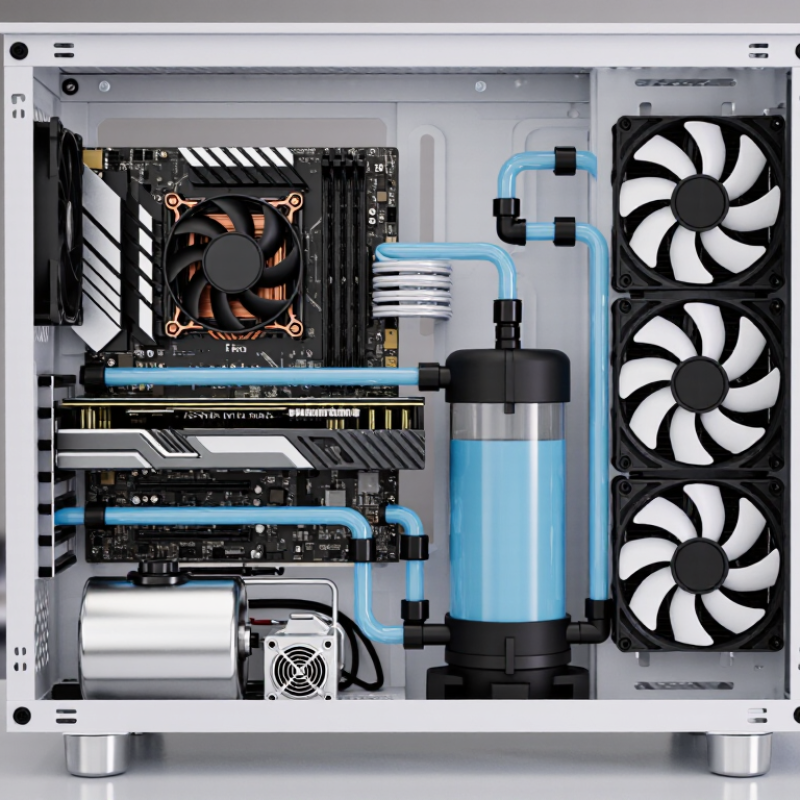
A reliable watercooling system starts with the pump, reservoir, water block, radiator, tubing, and fittings. The pump moves coolant through the loop. The reservoir helps remove trapped air and makes refilling easier. A CPU or GPU water block transfers heat from the chip into the coolant. The radiator then releases that heat through fins and fans. Small parts matter. A loose fitting can ruin an otherwise careful build.
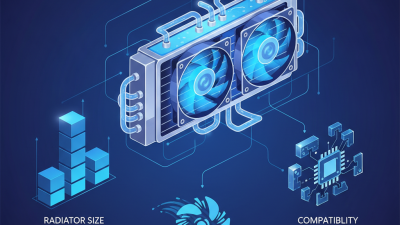
Radiator size should match the heat load, airflow, and available space. Thicker radiators often provide more cooling surface, but they also restrict airflow. Tubing connects every section, while fittings keep those connections sealed. Coolant reduces corrosion and biological growth when properly selected. However, coolant is not a substitute for maintenance. Dust still gathers on radiator fins, and pump noise can increase over time.
The market reflects growing interest in liquid thermal management. MarketsandMarkets projected the global liquid cooling market to reach about 12.6 billion US dollars by 2028, rising from roughly 4.5 billion in 2023. Data-center demand drives much of that growth, but desktop builders benefit from the same engineering principles. In practice, builders sometimes choose oversized parts without checking case clearance. That is an avoidable mistake. A paper plan helps, but real installation can still expose awkward bends, trapped air, or inconvenient drain points.
What Are the Top Types of Watercooling Parts?
Core Components of a Watercooling System
This chart shows a practical baseline quantity for the main parts commonly found in a single custom watercooling loop. A typical setup includes one pump, one reservoir, one CPU water block, one radiator, several fittings, and multiple fans. Actual quantities vary according to the loop layout, cooling targets, and whether additional components such as a GPU water block or second radiator are installed.
Waterblocks for CPUs, GPUs, and Other Heat Sources
Waterblocks are the most direct watercooling parts for managing concentrated heat. CPU blocks sit over the processor and transfer heat through a thin metal cold plate. Coolant then carries that heat toward a radiator. Fit matters. A poorly tightened block can leave uneven contact and raise temperatures.
GPU waterblocks require more careful selection because graphics cards have different layouts. A full-cover block usually cools the graphics processor, memory modules, and power circuitry together. Some specialized blocks cool only the main chip. Before installation, check the exact circuit-board design, mounting holes, and included thermal pads. Measure twice.
Other heat sources can also benefit from waterblocks. Motherboard power stages, high-speed storage controllers, and compact workstation components may need extra cooling under sustained workloads. However, adding blocks increases tubing, fittings, and possible leak points. I once underestimated the space around a storage block and created an awkward tube bend. It worked, but it restricted access later. A temperature sensor near the outlet can reveal whether the block is helping or merely adding complexity. Gentle tightening, even pad pressure, and a slow leak test remain essential. Small details matter.
Radiators, Fans, and Coolant Heat Dissipation
What Are the Top Types of Watercooling Parts?
Radiators, Fans, and Coolant Heat Dissipation
Watercooling performance depends on how efficiently heat leaves the coolant. The radiator provides the main heat exchange surface. Copper channels transfer heat quickly, while dense fins increase exposed area. However, more fins are not automatically better. They can restrict airflow and demand stronger fans. In a practical desktop build, a thicker radiator often performs well, but only when the case allows steady intake and exhaust. Measure clearance before choosing parts. A paper plan beats an expensive mistake.
Fans control how much air moves through the radiator fins.
Fans with higher static pressure usually work better against resistance. Speed alone does not guarantee good cooling. A balanced setup uses smooth airflow instead of maximum noise. Mounting direction also matters. Warm air should leave the case without fighting incoming airflow. I once focused too much on fan speed and ignored turbulence around the radiator. The temperatures improved only after adjusting the layout.
Coolant carries heat from the water block to the radiator.
Its flow should remain steady, but faster flow is not always dramatically better. A reliable coolant should resist corrosion and biological growth when used correctly. Mixing incompatible metals can create corrosion inside the loop. Clear tubing makes deposits easier to inspect. Check the reservoir, fittings, and radiator for residue during maintenance. Small leaks may begin as dampness, not a visible drip. Testing the loop before powering sensitive hardware remains essential, even when every connection feels tight.
Pumps, Reservoirs, and Coolant Flow Control
What Are the Top Types of Watercooling Parts?
Pumps, reservoirs, and coolant flow control determine how reliably a watercooling loop performs. The pump creates pressure, while its head rating shows how much resistance it can overcome. Radiators, narrow channels, and angled fittings increase that resistance. A larger pump is not automatically better. Excessive flow can add noise, vibration, and unnecessary heat.
The reservoir stores extra coolant and makes filling easier. It also helps trapped air rise before the liquid reaches the pump. A practical reservoir should remain visible, accessible, and positioned above the pump inlet. Small bubbles may look harmless, but they can reduce cooling consistency. The U.S. Department of Energy’s 2024 report on data-center cooling highlights liquid cooling’s growing role as computing heat density rises. That trend increases interest in carefully controlled loops, even outside server rooms.
Coolant flow control requires more than watching a flow meter. Temperature sensors should be placed near the heat source and radiator outlet. Flow meters help identify blockages, pump wear, or air entering the circuit. ASHRAE Technical Committee 9.9 recommends matching coolant practices with material compatibility and operating conditions. MarketsandMarkets’ 2024 liquid-cooling report projects strong market growth through 2029, but growth does not remove maintenance risks. I still find that users overvalue peak flow rates. Stable flow, clean coolant, and easy inspection usually matter more. Mistakes happen. A restrictive loop may need redesign, not simply a stronger pump.
What Are the Top Types of Watercooling Parts? - Pumps, Reservoirs, and Coolant Flow Control
| Component Category |
Common Type |
Primary Function |
Typical Characteristics |
Selection Considerations |
| Pump |
Centrifugal pump |
Moves coolant through the blocks, radiator, tubing, and reservoir. |
Uses a rotating impeller; commonly selected for continuous circulation in PC liquid-cooling loops. |
Match the pump’s pressure capability to loop restriction, radiator count, block resistance, and tubing layout. |
| Pump |
Integrated pump-reservoir unit |
Combines coolant storage, air separation, filling access, and circulation in one assembly. |
Reduces fittings and installation space compared with separate components. |
Check mounting orientation, available case space, service access, and compatibility with the intended tubing size. |
| Reservoir |
Tube reservoir |
Provides a visible coolant chamber and makes filling and bleeding the loop easier. |
Usually cylindrical, vertically mounted, and available in multiple lengths and capacities. |
Leave enough headroom for filling and position the outlet so the pump remains supplied with coolant. |
| Reservoir |
Distribution-plate reservoir |
Routes coolant through predefined channels while serving as a reservoir and mounting panel. |
Often designed for specific case layouts and may simplify hard-tube routing. |
Confirm case compatibility, port locations, inlet and outlet direction, and access to the fill port. |
| Coolant Flow Control |
Flow meter |
Displays or monitors coolant movement through the loop. |
May use a visual rotor, electronic sensor, or both; it indicates flow rather than directly controlling pump output. |
Install in the correct flow direction and use readings mainly to identify changes, restrictions, or pump problems. |
| Coolant Flow Control |
Valve |
Starts, stops, isolates, or redirects coolant during filling, draining, and maintenance. |
Drain valves are commonly placed at a low point in the loop for easier coolant removal. |
Use fittings rated for the coolant and ensure the valve is accessible without dismantling major components. |
| Coolant Flow Control |
Quick-disconnect fitting |
Allows sections of a loop to be separated with limited coolant loss. |
Useful for removable radiators, external cooling sections, or serviceable hardware. |
Consider restriction, sealing reliability, connection size, and whether both halves include automatic shutoff. |
| Coolant Flow Control |
Temperature sensor and controller |
Monitors coolant temperature and can adjust pump or fan behavior when supported by the control system. |
Provides feedback for fan curves, alarms, and temperature-based operating profiles. |
Place the sensor where it measures representative loop temperature and verify electrical connector compatibility. |
Note: Actual flow rate and cooling performance depend on pump pressure, loop restriction, radiator capacity, coolant properties, tubing geometry, and component condition.
Tubing, Fittings, and Essential Installation Accessories
Tubing, fittings, and installation accessories determine whether a watercooling system performs reliably or leaks beside expensive hardware. Tubing carries coolant between blocks, pumps, reservoirs, and radiators. Flexible tubing simplifies tight bends, while rigid tubing creates cleaner routes but demands accurate measurements. A small bend radius can restrict flow. It can also stress nearby fittings.
Fittings form the system’s mechanical and sealing points. Choose the correct thread standard, tubing diameter, and insertion depth. Compression fittings are useful for secure connections, but overtightening can damage seals. Quick-disconnect fittings improve maintenance, especially in dense installations. They may also add flow resistance. That trade-off is easy to overlook.
Installation accessories deserve equal attention. A drain valve, fill port, leak-testing pump, spare O-rings, and tube cutters can prevent rushed repairs. The 2024 U.S. Department of Energy and Lawrence Berkeley National Laboratory report estimated U.S. data centers used about 176 terawatt-hours in 2023. It projects consumption could reach 325–580 terawatt-hours by 2028. Efficient liquid cooling is becoming more relevant as heat density rises.
Do not trust appearance alone.
A 2024 liquid-cooling market analysis from MarketsandMarkets projects strong growth through the decade, driven by high-density computing. However, market growth does not guarantee installation quality. In practical testing, a carefully supported tube often matters more than a decorative layout. I would inspect every joint, pressure-test slowly, and leave room for thermal expansion. Perfect routing is useful, but serviceability matters more.