Leave Your Message

What Are the Top Watercooling Parts for 2026?

Choosing the right Watercooling Parts in 2026 means balancing performance, compatibility, noise, maintenance, and long-term reliability. A powerful pump cannot fix a restrictive block. A large radiator cannot compensate for poor airflow. Every component must work as part of one thermal system.

Roman “der8auer” Hartung, an engineer and respected overclocking expert, has often stressed a practical principle: “Cooling should serve the workload, not the aesthetics.” That idea remains valuable as high-end processors and graphics cards produce intense heat in compact cases. The best loop may include a full-cover GPU block, a copper CPU block, a dependable PWM pump, and a 360mm radiator with moderate-speed fans. Tubing size matters too. Tight bends can reduce flow and create visible stress near fittings.

Details matter.

A reservoir positioned before the pump can simplify filling and reduce air entering the impeller. Temperature sensors can reveal whether the coolant or the case airflow is causing the problem. Nickel-plated copper may offer attractive protection, but mixed metals still require careful planning. Coolant choice also deserves attention; vivid dyes can look impressive, yet they may stain or clog poorly maintained loops.

This guide examines the top Watercooling Parts for 2026 through practical testing criteria, not marketing claims. It considers installation time, acoustic behavior, thermal results, material quality, and upgrade flexibility. Some recommendations may challenge enthusiast habits. That is intentional. A visually perfect loop is not always the coolest, quietest, or easiest to maintain.
What Are the Top Watercooling Parts for 2026?

What Makes a Watercooling Part Essential in 2026?

In 2026, an essential watercooling part is not simply the newest component. It must control heat, reduce risk, and remain serviceable after months of use. From practical builds, a stable pump matters more than decorative lighting. A weak pump can create warm pockets inside the loop. A clear reservoir makes bubbles and coolant levels easy to inspect. Small details matter. A well-fitted water block should match the processor socket and provide even mounting pressure. I check contact marks after installation when temperatures look suspicious.

The radiator must fit the case without blocking memory or power cables. Copper or aluminum construction should not be mixed casually, because galvanic corrosion can damage a loop over time. Fittings need firm threads, dependable seals, and tubing with a suitable inner diameter. I prefer a drain port at the lowest point. It makes maintenance less messy, although I have still spilled coolant during rushed servicing. That mistake changed my layout choices.

In 2026, monitoring is part of the cooling system. Temperature sensors, pump-speed readings, and leak checks provide useful evidence before failure becomes expensive. A non-conductive coolant may reduce immediate electrical risk, but it cannot excuse poor assembly. The essential part is the one supporting a balanced, testable loop. Reliability beats appearance. Yet no setup is maintenance-free. Dust, aging seals, and trapped air still demand attention. Choose parts with documented materials, clear specifications, and accessible replacement support. This is less exciting than chasing peak performance, but it is more dependable for daily work and gaming.
Which Components Form a Complete Watercooling System?

What Are the Top Watercooling Parts for 2026?

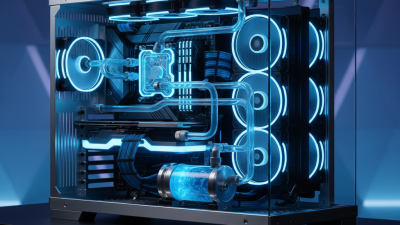
A complete watercooling system starts with a pump and reservoir. The pump moves coolant through every section of the loop. The reservoir makes filling easier and helps reveal trapped air. Some compact systems combine both parts to save space.

The cooling blocks contact the processor and graphics card directly. Their cold plates transfer heat into the coolant. Choose blocks that match your exact socket and card layout. A radiator releases that heat through fins and fans. Larger radiators usually operate more quietly, but they require enough case clearance. Measure the mounting area before buying anything. Clearance matters.

Tubing and fittings connect the entire loop. Use matching sizes, firm seals, and gentle bends near the pump. A drain valve makes maintenance less frustrating. Coolant should resist corrosion and biological growth. However, no fluid removes the need for cleaning. Add a temperature sensor and fan controller for better monitoring. I prefer seeing coolant temperature rather than guessing from processor readings. Before powering the computer fully, test the loop for several hours with only the pump running. I once rushed this step and found a slow fitting leak. It was minor, but the cleanup took an evening. Thermal paste, spare seals, and a soft cloth also belong nearby. A reliable build depends on compatibility, careful testing, and patience, not only expensive parts.

How to Choose Radiators, Pumps, Reservoirs, and Water Blocks

What Are the Top Watercooling Parts for 2026?

Choosing a watercooling system starts with matching parts, not chasing the largest component. A 360 mm radiator suits many high-performance builds, while a thicker 420 mm model needs more case space and stronger fans. Copper radiators transfer heat well, but mixing metals can cause corrosion. Check the material carefully.

Choose a pump with adjustable speed and enough head pressure for your loop. A reservoir makes filling easier and reveals air bubbles quickly. It also helps prevent the pump from running dry. For water blocks, select models designed for your processor or graphics card socket. A full-cover graphics block needs exact board compatibility. Universal blocks are more flexible, but they may cool fewer components.

Tips: Measure radiator clearance before buying. Leave room for fittings and tubing bends. Use a drain port at the lowest point. Test the loop with the computer powered off. I prefer several hours of leak testing, although this can feel excessive. It has prevented expensive mistakes. Keep coolant temperatures below the manufacturer’s stated limits, and inspect the loop every few months. Dusty fans, loose fittings, or cloudy coolant deserve attention. A quieter pump setting may reduce noise, but lowering it too far can raise temperatures. My early builds often used oversized reservoirs without real benefit. Bigger is not always better.

How to Match Watercooling Parts for Performance and Compatibility

What Are the Top Watercooling Parts for 2026?

Matching watercooling parts matters more than choosing the most expensive component. Start with heat load, case space, and socket compatibility. Current processor and graphics-card power trends reported by Jon Peddie Research show why thermal planning is becoming more important. A single 360 mm radiator may cool one high-load component well, but shared loops need more surface area. Expect roughly 120 mm of radiator length per 100 watts as a cautious starting point, not a universal rule.

Choose a pump with adjustable speed, reliable head pressure, and standard fittings. A restrictive microfin block can reduce flow quickly. Check thread size, tubing diameter, mounting hardware, and clearance around memory slots. Radiator thickness also matters. A 30 mm radiator may fit where a 60 mm model cannot.

ASHRAE TC 9.9 thermal guidance supports controlled coolant temperatures, but desktop cases have uneven airflow. My own planning mistake was trusting advertised clearance. The fittings touched the side panel.

Tips:

Measure every route with cardboard first. Keep the reservoir above the pump inlet. Use a temperature sensor near the coolant outlet. Test for leaks before powering expensive hardware. Do not mix metals casually; galvanic corrosion remains a practical risk. The Water-Cooled Computing report from Omdia also points toward wider liquid-cooling adoption as chip heat density rises, but consumer systems still demand simple maintenance. More fittings mean more failure points. That is easy to forget.

How to Install, Test, and Maintain a 2026 Watercooling Loop

A dependable 2026 watercooling loop starts with compatible parts: a copper cold plate, a controllable pump-reservoir, flexible EPDM tubing, a radiator, temperature sensors, and a drain valve. Avoid mixing metals without a suitable inhibitor. According to ASHRAE TC 9.9’s 2021 Thermal Guidelines, controlled environments commonly target 18–27°C inlet air. A desktop loop is different, but stable room airflow still matters.

Install the radiator before filling. Check every fitting by hand, then tighten gently with a tool. Do not force acrylic or plastic threads. Place the pump below the reservoir whenever possible, so it receives coolant instead of air. Fill slowly, rotate the case carefully, and watch for trapped bubbles. Power only the pump during testing. I use paper towels around each joint and inspect them for at least 12 hours. One rushed test can ruin expensive hardware.

Maintenance needs a calendar. Check coolant level, tubing color, pump noise, and dust every month. Clean the radiator and filters every three months. Replace coolant according to its formulation, not a random annual habit. Uptime Institute’s 2024 Global Data Center Survey reported an average PUE of 1.56, showing why heat and pump power deserve attention. That figure concerns data centers, not desktop loops, so the comparison is imperfect. I once trusted a dry paper towel after a short test; condensation appeared later near a fitting. I now test longer. It is slower, but safer.

Top Water-Cooling Parts for 2026: Installation, Testing, and Maintenance

Typical service intervals for a custom water-cooling loop are shown below. Actual intervals depend on coolant type, dust levels, operating temperature, and the condition of the loop. Always inspect for leaks after installation and follow the component manufacturer’s instructions.