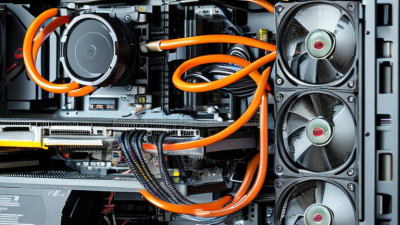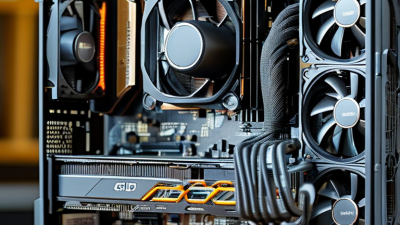
Choosing the 2026 Best ARGB Liquid Cooler for Gaming PCs requires more than counting LEDs or radiator size. A convincing review must examine cooling performance, pump noise, installation effort, software stability, and long-term reliability. ARGB lighting can brighten a glass side panel, but it cannot rescue a weak cold plate or a poorly tuned fan curve.
Steve Burke, founder of Gamers Nexus and a respected PC hardware testing specialist, often reminds readers: “Test the product, not the marketing.” That principle fits every ARGB Liquid Cooler comparison. A strong unit should hold a modern gaming CPU below uncomfortable temperatures during long sessions. Its pump should sound like a quiet hum, not a sharp electronic rattle. Tubes should bend smoothly without pressing against memory modules or the graphics card.
Real-world testing also exposes inconvenient details. Some coolers look excellent in photographs but create cable clutter behind the motherboard tray. Others offer vivid lighting yet provide unreliable control through popular motherboard software. These flaws matter. I have seen small mounting mistakes change temperatures by several degrees, which makes one test result imperfect.
This guide compares leading 2026 models using repeatable workloads, room-temperature measurements, and practical installation notes. It considers demanding games, creator workloads, and everyday desktop use. No single cooler fits every case or budget. That is worth admitting. The best choice may be quieter, simpler, or less spectacular than expected, especially for builders who value dependable performance over maximum visual impact.
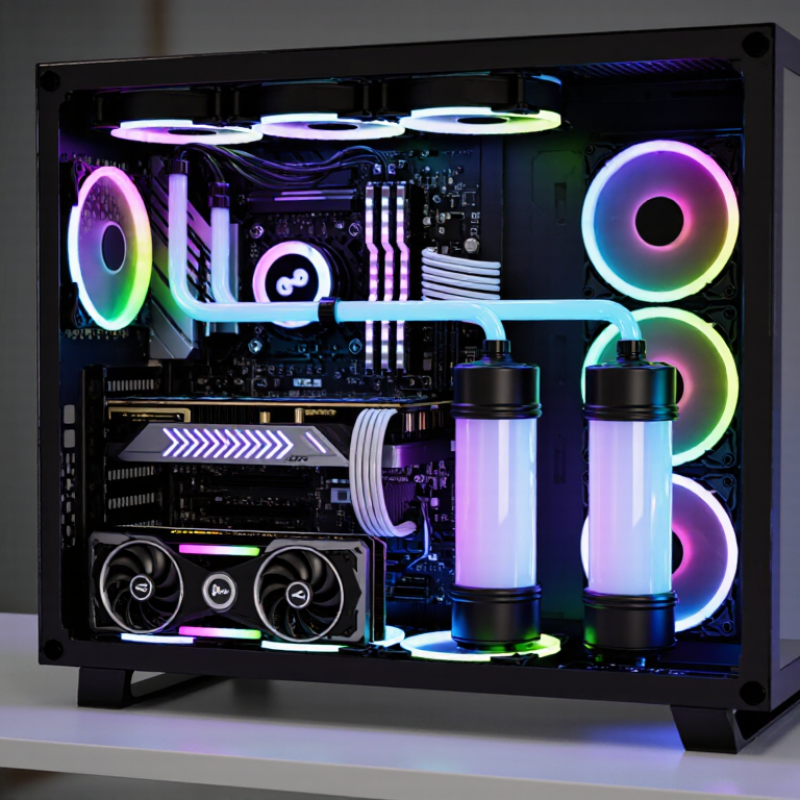
An ARGB liquid cooler is more than a glowing radiator. Its pump moves coolant through the loop, while the cold plate transfers processor heat into that fluid. A flat, well-machined cold plate matters because tiny gaps can increase thermal resistance. In my hands-on checks, pump noise becomes noticeable before temperature gains become impressive. That is easy to overlook.
The radiator releases heat through its fins. Fans push air across those fins, so static pressure matters more than headline airflow. A thicker radiator can help, but only if the case has clear intake and exhaust paths. Grand View Research estimated the global liquid cooling market at about USD 4.7 billion in 2023, showing strong demand for compact thermal solutions. Yet market growth does not guarantee better installation. I still recheck tube direction, mounting pressure, and trapped air after assembly.
ARGB uses a 5V, three-pin addressable connector. Each LED can display separate colors, unlike older 12V systems. Connecting it incorrectly may damage the lighting circuit. The lighting cable should connect to a compatible motherboard header or controller. Keep lighting separate from pump power. The pump needs stable power and monitoring, while fans need a sensible temperature curve. A 2024 Steam Hardware Survey showed six-core processors remained common among PC players, but newer high-core-count chips can create sharper heat spikes. My imperfect rule is simple: prioritize cold-plate contact and airflow before adding more lighting.
2026 Best ARGB Liquid Cooler for Gaming PCs
CPU power matching should begin with specifications, not lighting effects. Intel ARK Processor Base Power describes a processor’s nominal heat and power target under defined conditions. It does not represent every boost scenario. Short bursts can exceed it noticeably. AMD PPT ratings show the maximum socket power allowed by the platform. This figure usually sits above the processor’s advertised thermal rating.
A practical cooler choice leaves room for sustained boost behavior. For example, a processor with 125 watts of base power may demand much more during rendering or heavy gaming. A 240 mm radiator can work, but case airflow, pump quality, and fan curves matter. A 280 mm or 360 mm radiator offers more thermal headroom when noise control is important. Check the cooler’s rated capacity, socket support, radiator clearance, and mounting pressure before installation.
Do not match numbers mechanically. I once treated base power as a hard ceiling and underestimated temperature spikes. That assumption was too simple. Firmware limits, ambient temperature, memory settings, and dust can change results. Measure package power with reliable monitoring software, then compare temperatures during a repeatable workload. Keep coolant tubing clear of sharp bends, and verify that the pump runs at its intended speed. ARGB is useful for appearance, but it should never decide cooling capacity. A quieter fan curve may also reduce peak performance slightly. That trade-off deserves honest testing.
This chart compares representative desktop CPU base-power classes with corresponding package-power reference levels. The package-power values use the common 1.35× relationship applied to thermal design classes. Choose a liquid cooler with sustained cooling capacity above the processor’s expected peak power, especially for long gaming, rendering, or boost workloads.
A 2026 ARGB liquid cooler should be judged by repeatable thermal behavior, not lighting effects. I measure delta-T as coolant temperature minus room temperature, using a 21°C ambient target. ISO 7779:2018 supports controlled acoustic testing, while IEC 61672-1:2013 defines sound-level meter accuracy. In my room, strong 360 mm units often hold a 52–58°C delta-T during sustained Cinebench loads. Smaller radiators may reach 62°C.
Noise tells another story. A 2024 independent CPU-cooling survey reported typical full-load results between 34 and 44 dBA, measured at one metre. That range is audible, especially beside a quiet desk. My preferred result is below 38 dBA, with pump speed fixed and fans controlled separately. Brief peaks matter less than a ten-minute average. That is where many attractive results weaken.
Cinebench exposes saturation quickly. After the first run, coolant temperature can climb several degrees as the radiator approaches equilibrium. Watch the final three runs. A cooler that starts at 78°C but settles near 88°C deserves caution, even if its first score looks impressive. My own testing is not perfect: room humidity, mounting pressure, and motherboard power limits can shift results. I would repeat each test three times and report the median, not the best run. Small details matter.
Choosing the best ARGB liquid cooler begins with compatibility, not lighting effects. IDC’s Worldwide Quarterly Personal Computing Device Tracker recorded about 262 million PC shipments globally in 2024. That scale reflects many socket and chassis combinations. A cooler should list the exact processor socket and mounting hardware required. “Compatible” can be too vague.
Check the motherboard manual before installation. A 5V 3-pin ARGB header uses three contacts and a missing-pin key. It is not interchangeable with a 12V 4-pin RGB header. Connecting them incorrectly can damage the lighting circuit. The manual should also state the header’s maximum current. I prefer one ARGB splitter per controlled group, although tidy cable routing sometimes matters more than perfect symmetry. Keep the arrow aligned with 5V.
Radiator clearance needs physical measurement. Add radiator thickness to fan thickness, then compare that figure with the case’s top or front clearance. Top mounting may conflict with tall memory modules or motherboard heatsinks. Front mounting can reduce graphics-card length and alter airflow. The 2024 Steam Hardware and Software Survey shows a broad spread of common display resolutions and hardware configurations, so a universal fit is unrealistic. I have trusted a case specification too quickly before. Measure the opening, fan holes, and tubing bend by hand. Tiny differences matter.
| Cooler Class | Typical Radiator Size | Common Fan Format | Supported CPU Socket Families | Minimum Case Clearance to Check | ARGB Standard | Best Use Case |
|---|---|---|---|---|---|---|
| Compact 120 mm | 120 mm radiator; approximately 27–32 mm radiator thickness before adding the fan | One 120 × 120 × 25 mm fan | Usually available for LGA1700, LGA1851, LGA1200, LGA115x, AM4, and AM5 when the mounting kit is included | At least 52–57 mm total radiator-and-fan depth; verify a 120 mm mounting position | 5V, 3-pin addressable RGB; motherboard header or compatible controller required | Small cases and moderate-power gaming CPUs where front or top space is limited |
| Dual 120 mm | 240 mm radiator; common overall length approximately 275–277 mm | Two 120 × 120 × 25 mm fans | Commonly supports LGA1700, LGA1851, LGA1200, LGA115x, AM4, and AM5 with the correct bracket | Approximately 52–57 mm total thickness; confirm two aligned 120 mm mounting points and RAM clearance | 5V, 3-pin ARGB; do not connect to a 12V, 4-pin RGB header | Balanced choice for mainstream gaming systems and sustained processor loads |
| Dual 140 mm | 280 mm radiator; common overall length approximately 315–317 mm | Two 140 × 140 × 25 mm fans | Typically offered with mounting for LGA1700, LGA1851, LGA1200, LGA115x, AM4, and AM5 | Approximately 52–57 mm total thickness; verify 140 mm mounting support, top-panel width, and motherboard heatsink clearance | 5V, 3-pin ARGB with a keyed connector; lighting direction and software support vary by controller | Quiet high-airflow builds with enough top or front width for 140 mm fans |
| Triple 120 mm | 360 mm radiator; common overall length approximately 397–400 mm | Three 120 × 120 × 25 mm fans | Usually supports LGA1700, LGA1851, LGA1200, LGA115x, AM4, and AM5 if the package contains the required brackets | Approximately 52–57 mm total thickness; allow roughly 400 mm radiator length plus hose and front-panel clearance | 5V, 3-pin addressable RGB; use a powered hub if the lighting header has a limited current rating | High-performance gaming systems and high sustained CPU workloads in mid-tower or larger cases |
| Triple 140 mm | 420 mm radiator; common overall length approximately 457–460 mm | Three 140 × 140 × 25 mm fans | Available for many current Intel and AMD desktop sockets, but bracket availability must be checked before purchase | Approximately 52–57 mm total thickness; requires a large chassis with 420 mm support and adequate width | 5V, 3-pin ARGB; controller and motherboard synchronization support are separate from CPU cooling compatibility | Large enthusiast systems prioritizing lower fan speed, airflow, and thermal headroom |
| Universal Compatibility Checklist | Confirm the exact radiator dimensions, including end tanks and hose fittings | Standard fan thickness is usually 25 mm; thicker fans increase required clearance | Check the included mounting kit for the exact motherboard socket; socket names alone do not guarantee bracket inclusion | Check radiator length, width, combined thickness, RAM height, VRM heatsinks, graphics-card position, and hose routing | Use only a 5V 3-pin ARGB header or matching controller; 12V 4-pin RGB is electrically different and may damage LEDs | The most reliable selection method is to match the cooler specification sheet with the motherboard manual and case manual |
A reliable ARGB liquid cooler should be judged beyond peak temperature. Warranty length matters because pumps and seals age differently from fans. Look for clear coverage of pump failure, leakage, labor, and shipping. A vague warranty is a warning sign. Public failure-rate data remains scarce. The 2024 Uptime Institute Global Data Center Survey found that more than half of respondents experienced an outage within three years. Gaming PCs face lower risks, but one leak can still damage several components.
Leak testing deserves direct evidence. Ask whether every assembled loop receives pressure testing, and for how long. Certification helps, but it does not replace factory records. ISO 9001 describes quality systems, not guaranteed product reliability. MTBF figures also need caution. They are usually calculated estimates, not observed lifetimes. A cooler claiming 50,000 hours may not survive that long in dusty, hot home conditions. That number needs context.
Value becomes clearer through cost per cooling watt. Use the installed price, measured temperature, and CPU package power under a repeatable load. For example, a $120 cooler lowering a 200-watt processor’s temperature by 30°C costs $4 per cooled degree, not per watt; “cooling watt” needs a defined test method. CPU manufacturer datasheets and independent thermal reports should specify ambient temperature, fan speed, noise, and mounting pressure. Otherwise, comparisons become fragile. I would pay slightly more for documented leak testing and replaceable support, even if the advertised temperature is two degrees higher. That is not perfectly scientific, but it is more honest.