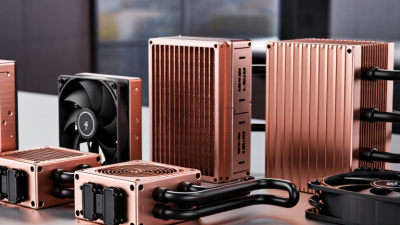
2026 Best AIO Copper Radiator Buying Guide?
Choosing an Aio Copper Radiator in 2026 takes more than comparing cooling claims. The phrase can describe different designs: many all-in-one liquid coolers use a copper cold plate but an aluminum radiator. A radiator made mainly from copper is less common, so check the manufacturer’s material specifications before buying. Details matter.
Start with the system you actually have. Measure case clearance, check radiator thickness, and confirm which fan sizes and mounting positions your case supports. A 360 mm unit may sound ideal, but it is not useful if it blocks memory, cables, or a top-panel mount. Also compare the pump warranty, noise information, and software requirements. Small details count.
Copper can transfer heat effectively, but material alone does not guarantee lower temperatures or quieter operation. Pump quality, fin design, fan speed, coolant flow, and processor power all affect results. Look for repeatable testing on hardware similar to yours, and treat dramatic temperature claims cautiously. Test conditions matter. Mixed metals can also be acceptable in a properly engineered, sealed cooler; do not assume a copper label means every component is copper. I would verify the exact construction and warranty rather than rely on product images. This guide will help you compare specifications, fit, acoustics, durability, and value, while recognizing one limitation: published results may not predict performance in your case.
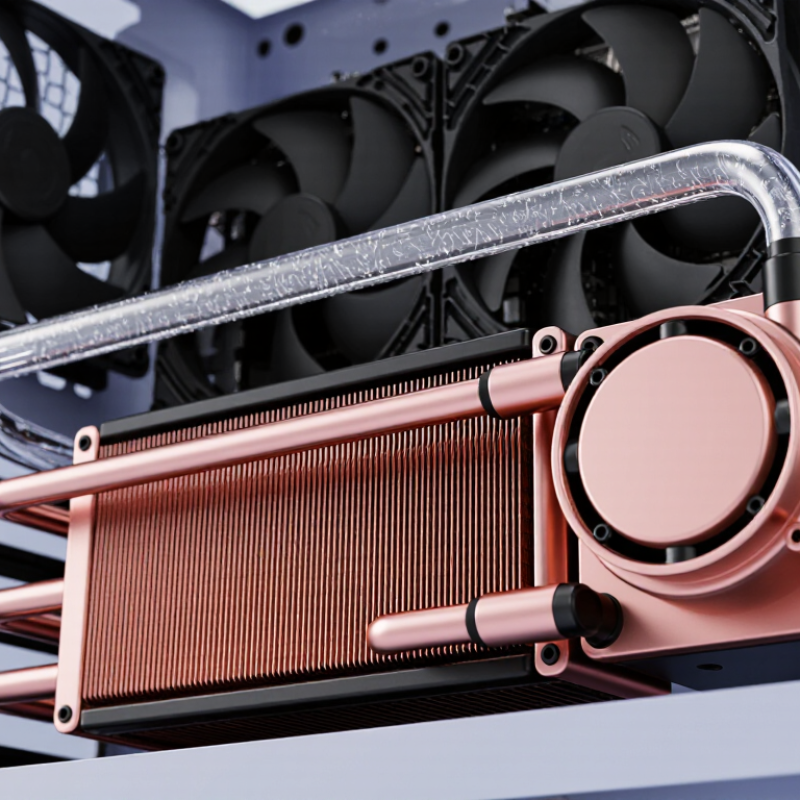
What an AIO Copper Radiator Is and How It Works
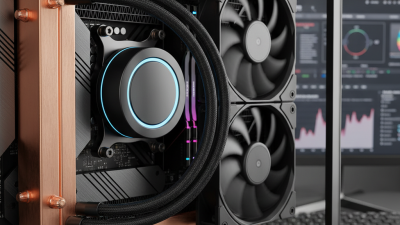
An all-in-one liquid cooler moves heat through a sealed loop. A copper cold plate sits against the processor, usually with a thin layer of thermal paste between them. Heat passes into the circulating coolant, often a water-based mixture with corrosion inhibitors. Then the pump moves that warmed liquid through narrow radiator channels.
The radiator releases heat into the air. Copper conducts heat efficiently, while thin fins increase the surface area exposed to airflow. Fans push or pull room air through those fins, and the cooled liquid returns to the cold plate. That is the loop. In a real build, dust-clogged fins or slow fan speeds can matter more than a small material difference.
“Copper radiator” does not always mean every part is copper. Some designs combine copper channels with fins made from another metal, so check the stated materials and compatibility guidance. Mixed metals need suitable coolant chemistry to limit corrosion. Copper can be a sensible choice, but it is not a magic upgrade. Radiator thickness, fin spacing, fan quality, case clearance, and pump noise also affect results. The trade-off can be easy to miss: dense fins may cool well with strong airflow, yet sound louder in a quiet room. AIO loops are sealed, but they are not immune to wear; pumps and fans can eventually need replacement.
How Copper Construction Influences Cooling and Durability
An AIO radiator’s copper content matters most when you know which parts are copper.
Some units use copper tubes but aluminum fins, so “copper radiator” may describe only part of the assembly. Copper transfers heat efficiently, yet it cannot compensate for weak airflow, a restrictive fin stack, or slow coolant circulation. Details matter.
During a sustained CPU load, heat moves from the processor’s cold plate into the coolant, then through radiator tubes and fins. Copper can spread heat quickly across tube walls, but fan speed and room temperature still shape actual results. For a fair comparison, use the same case, workload, ambient temperature, and noise limit. Check temperatures after they stabilize, not just during the first minute.
Copper is relatively durable, but mixed metals need careful design.
When copper contacts aluminum in a poorly protected loop, galvanic corrosion can gradually damage surfaces and contaminate coolant. A sealed AIO with suitable coolant reduces this risk; I would not assume every copper-containing model is corrosion-proof. Copper also adds weight and may raise cost, while its cooling advantage can be modest in a compact radiator.
Which Radiator Specifications Matter for Your Build
A radiator’s advertised size is only the starting point. A 360 mm unit may fit poorly if the case has a narrow roof, tall memory modules, or a thick front assembly. Measure the radiator, fans, and fittings together; allow room for the tubes to bend without kinking. Core thickness also matters. A slim core can suit low-clearance builds, while a thicker core may need fans that maintain airflow against greater resistance. Check independent noise-normalized tests when available, not just peak-temperature charts.
Material is useful context, not a performance guarantee. The Copper Development Association lists C110 copper’s thermal conductivity at about 391 W/m·K at room temperature. That describes the metal, not the finished radiator. Fin spacing, tube layout, solder joints, fan speed, and coolant flow all affect heat transfer. That figure is not a cooler score. I still catch myself focusing too much on fin density. Also compare fan size and static-pressure ratings, but treat vendor figures cautiously unless test methods match. Finally, check pump noise, hose length, and mounting orientation against your case. A few millimeters can decide the fit.
How to Check Case, Socket, and Fan Compatibility
Before choosing a 2026 AIO copper radiator, check your case manual for supported sizes and mounting positions. A case listed for a 360 mm radiator may still lack clearance for the radiator-and-fan stack. Measure the full stack, not just the radiator. A 27 mm radiator and a 25 mm fan need about 52 mm of space, before cables or nearby parts are considered. Check clearance with the side panel closed, too. That detail is easy to miss. If your case is already assembled, measuring may feel tedious, but guessing can mean returning hardware.
Confirm that the cooler includes mounting hardware for your exact processor socket. Socket names and mounting systems can change between generations, so check the current compatibility information rather than relying on an old build log. Then verify fan dimensions, connector types, and available motherboard headers. Some fans use four-pin PWM connectors, while lighting may require a separate header. Count the headers before buying, or check whether a compatible, adequately powered hub is needed. Also inspect RAM height and graphics-card clearance around the planned radiator position. A top mount can look clear in a product photo, yet tall memory modules may block it. Measure your own layout.
How to Compare AIO Copper Radiators for Your Budget and Needs
A copper AIO radiator can suit buyers who value heat transfer and durable construction, but material alone does not predict cooling performance. Check the manufacturer’s material specification carefully: some listings describe only the cold plate as copper. Look for radiator dimensions, thickness, fin density, and included fan details. These affect case fit, airflow, and noise. Measure the space near your case’s top or front panel before buying. A few millimeters matter.
Compare total cost, not just the cooler’s price. A higher-priced model may include quieter fans, longer tubing, or a more useful warranty; confirm those details in the product documentation. Copper can be heavier, and mixed metals in a cooling loop need suitable corrosion protection. Ask whether the loop is sealed and what service the maker permits. Most AIO units are not designed for routine refilling. For a budget build, prioritize reliable fit, clear warranty terms, and acceptable noise over impressive peak-temperature claims. Real results vary with room temperature, processor workload, and case airflow. I’d also leave a little room for doubt: test data from one setup may not match yours.