How to Choose the Best Cpu Cooler for Your Setup?
Choosing the right CPU cooler is crucial for optimal performance. A well-chosen CPU cooler can reduce overheating and enhance efficiency. With various options available, selecting the best one can feel overwhelming.
Consider your system’s requirements. Different setups may need specific cooling solutions. Air coolers and liquid coolers have distinct benefits. Air coolers are often more affordable and easier to install. Liquid coolers offer superior cooling but can be more complex.
Evaluate your noise tolerance, space constraints, and budget. An effective CPU cooler should balance performance and noise levels. Not all coolers perform as expected, leading to potential regrets. Researching user reviews can provide insights. Relying on expert opinions can also guide your decision. Remember, the right CPU cooler can make a noticeable difference in your system's longevity and performance.
Factors to Consider When Choosing a CPU Cooler
When selecting the best CPU cooler, several key factors come into play. Cooling performance is paramount. Effective heat dissipation can protect your processor from thermal throttling. Studies show that a cooler temperature can extend the life of your CPU significantly. Noise levels should also be considered. Many users prefer quieter options, especially in a home office environment, where excessive noise can be distracting.
Compatibility is another important aspect. Ensure the cooler fits your case and is compatible with your CPU socket. It’s common for gamers or content creators to overlook this, leading to installation issues and suboptimal performance. Monitoring airflow and ensuring proper case ventilation is essential for maximizing cooling efficiency.
Tips: Always check dimensions before purchase. Performance ratings can vary, so prioritize what you need most—thermal efficiency versus noise level. Lastly, consider future upgrades. A cooler that handles increased heat loads can prevent the need for another replacement down the line. Remember, a poorly chosen cooler might undermine your setup's efficiency.
Types of CPU Coolers: Air vs. Liquid Cooling Options
When selecting a CPU cooler, it’s crucial to understand the two main types: air cooling and liquid cooling.
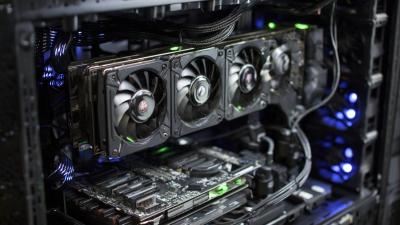
Air coolers are often more straightforward. They use a heat sink and fan to dissipate heat away from the CPU. This setup is cost-effective and generally easier to install. It requires less maintenance, which can be a significant advantage for beginners.
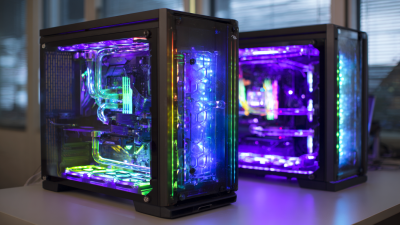
On the other hand, liquid coolers offer improved thermal performance. They circulate coolant through a closed-loop system. This can lead to lower temperatures, especially during intense gaming or heavy workloads. However, they are more complex to install. Users might face issues like leaks or pump failure. Finding the right balance between performance and practicality is essential. Each cooler type caters to different needs and preferences.
Given these options, it’s vital to consider your specific setup. The case size, available space, and cooling requirements play key roles. Some setups may benefit more from the efficiency of liquid cooling, while others thrive on the reliability of air cooling. Ultimately, reflect on your priorities and usage patterns before making a choice. Experimentation may lead to discovering what works best for you.
Compatibility: Ensuring the Cooler Fits Your CPU and Case
When choosing a CPU cooler, compatibility is a critical factor. Not all coolers fit every processor or case. Over 70% of users encounter fit issues when upgrading their components. Therefore, checking dimensions and CPU socket types is essential.
Processors come with specific thermal requirements. A cooler must meet these needs to provide optimal performance. Moreover, many cases have limited space. A cooler that's too tall or wide can obstruct RAM slots or fan placements. Keeping the internal layout in mind can save you from headaches later.
Monitoring temperatures is vital. Many reports indicate that a cooler can impact CPU temperature by 20°C or more. Selecting a cooler that fits well can enhance airflow, which is crucial for long-term component health. Neglecting compatibility may lead to inefficient cooling, reducing your CPU’s lifespan. Always verify specifications before making a purchase.
Cooling Performance: Understanding Thermal Dissipation Ratings
Choosing the right CPU cooler is crucial for maintaining optimal performance. Cooling performance primarily hinges on thermal dissipation ratings, which indicate how efficiently a cooler can manage heat. These ratings are typically represented in Watts. A higher rating means that the cooler can handle a greater heat output. This is vital for high-performance CPUs, which generate more heat under load.
When assessing coolers, consider your CPU’s thermal design power (TDP). If the cooler's rating is below your CPU's TDP, you risk overheating. It's also important to take into account airflow in your setup. Ineffective airflow can reduce a cooler’s performance, no matter how high its thermal rating. Many enthusiasts have realized this too late, leading to thermal throttling issues.
Experimenting with different configurations might reveal surprising results. A cooler that seems less effective on paper may perform better due to superior airflow in your case. Don’t overlook your specific needs, such as space constraints or noise levels. Finding the balance between cooling efficiency and personal preferences is key. Each setup is unique, and ongoing evaluation can help you make improvements over time.
Cooling Performance: Thermal Dissipation Ratings of CPU Coolers
Noise Levels: Balancing Performance and Acoustic Output
When selecting a CPU cooler, noise levels play a crucial role in the overall gaming or work experience. The whir of fans can be distracting, especially if you're in a quiet environment. A cooler that operates too loudly can detract from your focus and enjoyment. Many users overlook this aspect, focusing solely on cooling performance.
Finding a balance between cooling efficiency and noise output is key. Larger fans tend to operate at lower RPMs, reducing noise while providing effective cooling. However, size may not always fit your setup. Compact models can be noisy but often cool adequately for smaller cases. Assess your needs based on your usage and environment; this can help you avoid regrettable purchases.
Acoustic output isn’t the only factor. People often misjudge how a cooler's noise profile affects their daily tasks. Sometimes, a cooler that seems quiet in specs may not deliver the experience. Researching user reviews and sound tests can provide insight into real-world performance. Knowing these details fosters a more informed shopping decision.
How to Choose the Best CPU Cooler for Your Setup? - Noise Levels: Balancing Performance and Acoustic Output
| Cooler Type |
Cooling Performance (°C) |
Noise Level (dB) |
Price ($) |
Suitable for Overclocking |
| Air Cooler |
65 |
30 |
50 |
Yes |
| Liquid Cooler |
60 |
25 |
120 |
Yes |
| Budget Air Cooler |
70 |
35 |
30 |
No |
| All-in-One Liquid Cooler |
58 |
20 |
150 |
Yes |