Why Choose a Liquid Cooler Radiator for Your PC Build?
Building a PC requires careful consideration of cooling solutions. One popular choice is the Liquid Cooler Radiator. It offers superior performance compared to traditional air coolers. The design allows for efficient heat dissipation, which is crucial for high-performance components.
Using a Liquid Cooler Radiator can lead to a quieter system. Fans run at lower speeds, reducing noise levels. However, installation can be tricky. It's essential to secure everything properly to avoid leaks. Many builders find this aspect challenging, leading to potential problems later on. It’s essential to weigh these factors when making a decision.
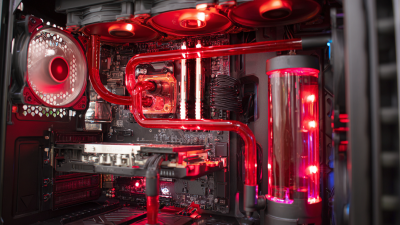
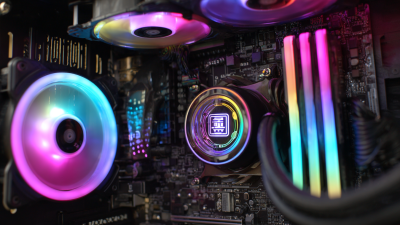
Aesthetic appeal is another advantage of liquid cooling. A well-designed Liquid Cooler Radiator can enhance the look of your PC. You might find yourself spending extra on RGB lighting and custom tubes. Yet, there's a risk of spending too much on appearance rather than function. Finding the right balance is key.
Benefits of Liquid Cooling Over Air Cooling for PC Builds
Liquid cooling has gained popularity among PC builders for good reasons. It offers superior thermal performance compared to air cooling. With a liquid cooler, heat is dispersed more effectively. This allows components to run cooler during intense gaming or heavy workloads. High-performance CPUs and GPUs often generate significant heat. A liquid cooler can tackle this without the noise and bulk of traditional fans.
Another key benefit is space efficiency. Liquid cooling systems can fit into tighter spaces. This allows for better airflow within the case. An air cooler can obstruct airflow, leading to stagnant heat buildup. Liquid systems, meanwhile, can route tubes in creative ways. This design flexibility can make builds look cleaner and more organized. However, installation can be tricky. A mistake might lead to leaks. That said, many find the aesthetic and performance benefits outweigh the risks.
Liquid cooling also has a longer lifespan than air cooling. Components remain at lower temperatures, enhancing durability. However, it requires periodic maintenance. Users need to monitor fluid levels and check for potential issues. This responsibility may deter some. It's essential to weigh these factors before making a choice.
Why Choose a Liquid Cooler Radiator for Your PC Build? - Benefits of Liquid Cooling Over Air Cooling for PC Builds
| Feature |
Liquid Cooling |
Air Cooling |
| Cooling Efficiency |
High - Capable of cooling multiple components at once |
Moderate - Generally limited to CPU only |
| Noise Level |
Quieter - Less fan noise |
Louder - Fans can be noisy under load |
| Aesthetics |
Visually appealing - Often includes RGB and sleek tubing |
Basic - Usually less visually striking |
| Space Requirements |
Flexible - Can fit in various cases; requires radiator space |
Bulky - Heatsinks can obstruct airflow |
| Performance Overclocking |
Better - Can maintain lower temperatures for stable overclocking |
Limited - Higher temperatures can hinder overclocking potential |
| Maintenance |
Moderate - Requires periodic coolant changes |
Low - Minimal maintenance needed |
Understanding Liquid Cooler Radiators: Types and Functionality
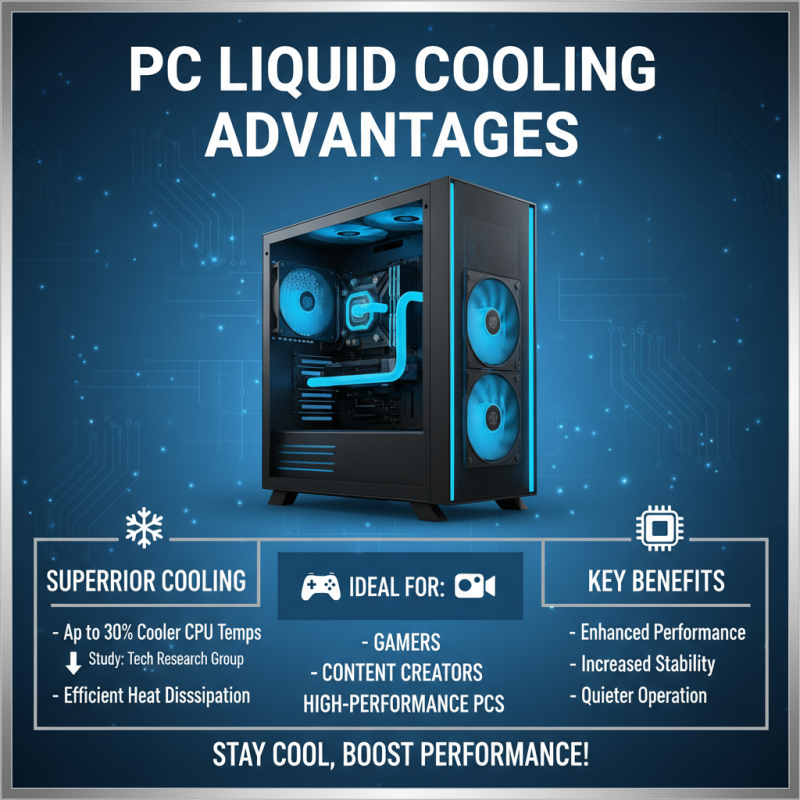
Liquid cooler radiators have gained popularity in PC builds for good reasons. They offer superior cooling performance compared to traditional air coolers. According to a study by Tech Research Group, liquid cooling systems can reduce CPU temperatures by up to 30%. This is crucial for gamers and content creators who demand high performance.
Various types of liquid coolers exist, including all-in-one (AIO) and custom loop systems. AIO units are easier to install, making them a go-to choice for beginners. They come pre-filled, reducing maintenance worries. Custom loops, while complex, provide exceptional performance and aesthetic options. However, many users struggle with setup and leaks. Balancing performance and aesthetics can be challenging.
Functionality is key. Liquid coolers use a heat exchanger to dissipate heat effectively. The pump circulates coolant through the system, ensuring heat is removed efficiently. Interestingly, a survey by Hardware Analysis found that 40% of builders switch back to air cooling due to concerns over maintenance. Despite the challenges, the benefits of liquid coolers cannot be ignored.
Key Factors to Consider When Choosing a Liquid Cooler Radiator
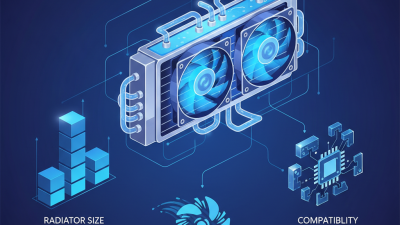
When selecting a liquid cooler radiator for your PC build, several factors come into play. One key consideration is the radiator size. A larger radiator can dissipate heat more effectively. However, it needs adequate space within your case. Be sure to measure for compatibility. Oversized radiators may lead to airflow issues.
Another important factor is fan compatibility. The right fans can significantly improve cooling performance. Look for fans with good static pressure and airflow ratings. Documenting airflow direction can help maintain optimal temperatures. Choosing fans that suit your build's aesthetic can be a bonus.
Tip: Always check the noise levels of the fans. Quieter fans can provide a more enjoyable experience. Performance shouldn't come at the cost of a noisy environment. Additionally, don’t overlook the coolant type. Different coolants can impact performance and maintenance needs. Remember, a well-maintained cooler can prolong your system's lifespan.
Installation Process: Setting Up Your Liquid Cooler Radiator
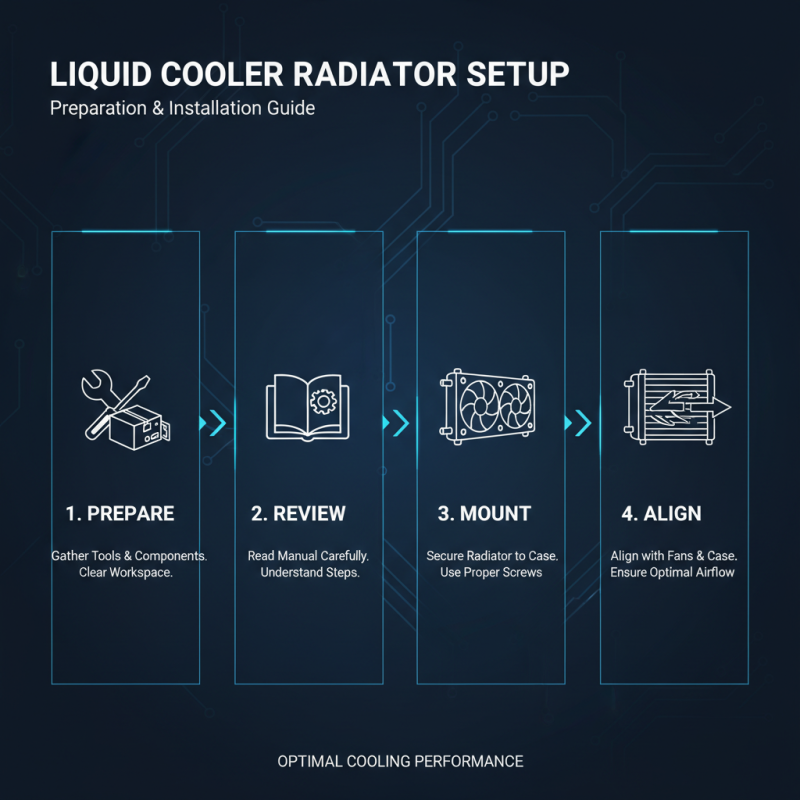
When setting up a liquid cooler radiator, preparation is key. Gather all necessary tools and components. An empty workspace makes the process easier. Review the manual carefully to understand each step. The radiator needs to be mounted securely. Align it properly with the fans and the case. This alignment is crucial for optimal airflow.
Ensure you have thermal paste ready. Apply it evenly on the CPU before mounting the block. This step often trips up beginners. Too much or too little can reduce efficiency. Connect the pump and fans to the motherboard correctly. Double-check your connections. A loose cable can cause frustration later.
Finally, fill the reservoir if needed. Be cautious, as spills can lead to damage. Once everything is connected, power on your system. Monitor temperatures closely in the first few hours. If there are issues, revisit your setup. It's a learning process, and patience is vital. Mistakes are expected, but they guide improvement.
Maintaining Your Liquid Cooler Radiator for Optimal Performance
Maintaining a liquid cooler radiator is essential for ensuring your PC runs smoothly. The pump and radiator work hard to dissipate heat. Regular check-ups help to catch problems early. Dust buildup on the radiator can obstruct airflow. Clean it every few months for better performance. Use a soft brush to remove dust gently.
Another important aspect is monitoring the coolant levels. Low coolant can lead to overheating. Check the reservoir occasionally. If the coolant appears murky, it might need to be replaced. Flushing the system can avoid buildup of unwanted materials. It’s a good practice, but remember it can be messy. Ensure you have proper tools ready to minimize spills.
Don’t overlook the connections and fittings. Leaks are rare but can happen. Inspect hoses for cracks or wear. This simple maintenance task can save you significant headaches. Take your time and assess everything closely. Rushing may introduce mistakes. Liquid coolers can be forgiving, but neglecting them can lead to failure.