2026 Best Pc Cooling Fan Options for Optimal Performance?
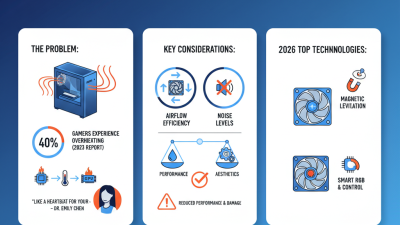
In the world of high-performance computing, the importance of a reliable PC cooling fan cannot be overstated. With gaming and productivity demands rising sharply, maintaining optimal temperatures is crucial. Industry reports indicate that excessive heat can reduce component lifespan by up to 50%. This is where choosing the right PC cooling fan becomes vital.
The 2026 market presents a plethora of cooling options, ranging from air to liquid systems. A well-chosen PC cooling fan can enhance system performance and ensure stability. Many experts suggest that airflow dynamics play a significant role in cooling efficiency. However, selecting the best option requires careful consideration of noise levels and airflow ratings. Not every fan suits every build, and potential buyers often overlook compatibility.
Moreover, not all cooling fans are created equal. Some high-end models may not deliver promised results in specific setups. Past reviews have shown discrepancies between manufacturer specs and real-world performance. This opens a dialog on the reliability of advertised features. Balancing cooling capacity and system noise remains a challenge for many users. As we explore the top 2026 PC cooling fan options, understanding these nuances will guide informed decisions.
Top Features to Look for in PC Cooling Fans
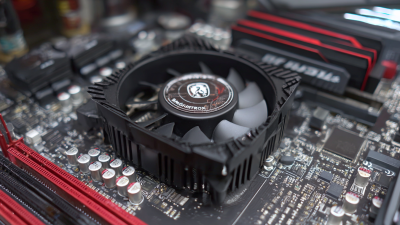
When selecting a cooling fan for your PC, certain features should guide your decision. First, consider the fan size. Larger fans can move more air at lower speeds, resulting in quieter operation. Common sizes include 120mm and 140mm. Additionally, it's crucial to check the airflow rating, measured in CFM (cubic feet per minute). Higher CFM values usually indicate better cooling performance.
Noise level is another critical factor. Fans are rated in dB (decibels). Look for fans that produce less than 30 dB under load. This ensures a quiet environment during intense gaming or work sessions. Additionally, the type of bearings used in the fan affects durability and noise levels. Fluid dynamic bearings, for example, often provide a longer lifespan and quieter operations compared to sleeve bearings.
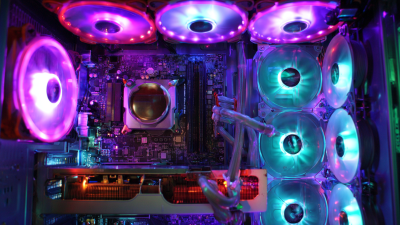
RGB lighting has become popular but serves more than aesthetics. It can enhance your case's visual appeal. However, ensure that the lighting does not obstruct cooling efficiency. Lastly, consider the fan's installation versatility. A fan that offers multiple mounting options can accommodate various setups. Balancing performance, noise, and aesthetic preferences is essential for achieving optimal cooling in your system.
Comparison of Airflow and Noise Levels in Cooling Fans
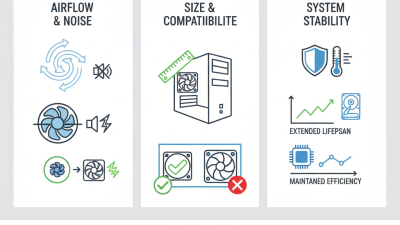
Cooling fans play a critical role in maintaining optimal performance in PCs. A recent industry report highlights that airflow and noise levels are essential factors when choosing a cooling fan. The airflow is measured in cubic feet per minute (CFM), while noise levels are generally expressed in decibels (dB). Many gamers and professionals prioritize these specifications to ensure a quiet yet effective cooling solution.
Tests show that fans with a CFM rating above 60 tend to provide adequate cooling for high-performance systems. However, this level often correlates with increased noise. For instance, a fan with 70 CFM might operate at 30 dB, while one rated at 85 CFM can reach 40 dB. This means that balancing performance with noise can be challenging. Many users desire quieter fans but may sacrifice some cooling efficiency.
Not all airflow measurements are equal; factors such as fan design and blade shape significantly impact performance. Research suggests that fans with optimized blade designs can enhance airflow while minimizing noise. This complexity requires users to evaluate their needs carefully. Optimal fan selection often involves personal testing and adjustments, leading to a never-ending quest for the perfect balance between cooling efficiency and noise reduction.
2026 Best PC Cooling Fan Options: Airflow vs Noise Levels
Different Types of PC Cooling Fans: Air vs. Liquid Cooling
When building a high-performance PC, choosing the right cooling solution is essential. Two main types exist:
air cooling and
liquid cooling. Each has its strengths and weaknesses, appealing to different user preferences.
Air cooling often utilizes heatsinks and fans. They are generally
more affordable and easier to install. However, they may struggle
in extreme conditions. High ambient temperatures can limit effectiveness. Users might find their system
running hotter than desired. The noise level can also increase with multiple fans working at full speed.
Liquid cooling systems, on the other hand, can provide
superior performance. They can
dissipate heat more effectively than air systems. This is especially crucial for
power-hungry CPUs and GPUs. Yet, liquid cooling setups can become complex. Installation requires
more effort and knowledge. They also carry risks like leaks. Users must remain vigilant to ensure a reliable setup.
Both cooling solutions offer unique benefits and challenges, making it critical
to evaluate your specific needs and environment.
Best Brands and Models for PC Cooling Fans in 2026
When it comes to PC cooling fans, selecting the right model can significantly enhance your system's performance. In 2026, several brands stand out for their reliable and efficient cooling solutions. Options range from quiet, high airflow models to sleek designs that minimize vibration. Users appreciate fans with customizable RGB lighting, adding a personal touch to their build.
One crucial factor is the fan size. The most common sizes are 120mm and 140mm, each suitable for different needs. Larger fans often push more air while maintaining lower noise levels. However, smaller fans may fit compact builds better. It's important to ensure compatibility with your case and other components. Consider airflow design as well; optimized fans can create efficient airflow patterns, improving overall cooling.
Reviews from tech forums highlight user experiences with various models. Some fans are praised for durability, while others may fail under heavy workloads. Users often express frustration when fans do not meet expected noise levels. Testing different setups can lead to insights for improvement. Evaluating both performance and noise is essential for a balanced cooling solution.
2026 Best PC Cooling Fan Options for Optimal Performance
| Model |
Airflow (CFM) |
Noise Level (dB) |
Size (mm) |
Price (USD) |
| Cooling Fan A |
75 CFM |
25 dB |
120 mm |
$30 |
| Cooling Fan B |
85 CFM |
30 dB |
140 mm |
$35 |
| Cooling Fan C |
70 CFM |
22 dB |
120 mm |
$28 |
| Cooling Fan D |
90 CFM |
35 dB |
140 mm |
$40 |
| Cooling Fan E |
80 CFM |
28 dB |
120 mm |
$32 |
Tips for Installing and Maintaining Your PC Cooling Fans
Installing and maintaining PC cooling fans is critical for optimal performance. A well-functioning cooling system can increase your hardware's lifespan. Overheating can cause significant damage. According to industry reports, effective cooling can reduce temperatures by up to 30%. This improvement can enhance overall system stability.
When installing fans, prioritize airflow direction. Most fans have arrows indicating airflow. Position them to create a balanced intake and exhaust system. Clear any dust buildup regularly. Studies indicate that even a thin layer of dust can reduce cooling efficiency by up to 25%. Use compressed air to clean fans and heatsinks carefully.
Monitoring fan speeds is also essential. Tools like software monitors can display real-time speeds. Adjusting fan speeds can optimize noise levels and cooling efficiency. Remember, fans need maintenance too. Replace them every 3-5 years even if they seem functional. Ignoring this can lead to a complete failure when you least expect it. Keeping track of fan performance can prevent future issues. Frequent checks ensure your system runs smoothly.