China’s gaming-monitor supply chain spans panel sourcing, circuit design, firmware, assembly, and export services. For buyers, the best supplier is not automatically the largest factory. It is the partner that can document performance, control production quality, and communicate clearly when specifications change.
Grand View Research estimated the global gaming monitor market at USD 9.8 billion in 2023 and projected a 6.6% compound annual growth rate from 2024 to 2030. These are market estimates, not guarantees of demand. Still, they point to a category shaped by higher refresh rates, sharper resolutions, and growing interest in OLED. Small details matter. A 240Hz label means little if overdrive creates visible ghosting, or if sample testing differs from mass production.
As Blur Busters founder Mark Rejhon frames the display-motion goal, “Pursuit of Perfect Motion.” That short phrase is a useful reminder: buyers should assess motion clarity, not refresh rate alone. This guide compares Chinese Gaming Monitor suppliers through practical questions: Which can verify panel origin? Which publish response-time test methods? Which support sample approval, stable color calibration, and traceable quality checks? Not just speed. Supplier capabilities can vary by model and production run, so claims deserve independent verification. I would not treat a polished specification sheet as proof. A timed test, a colorimeter reading, and a clear warranty process tell a more useful story.
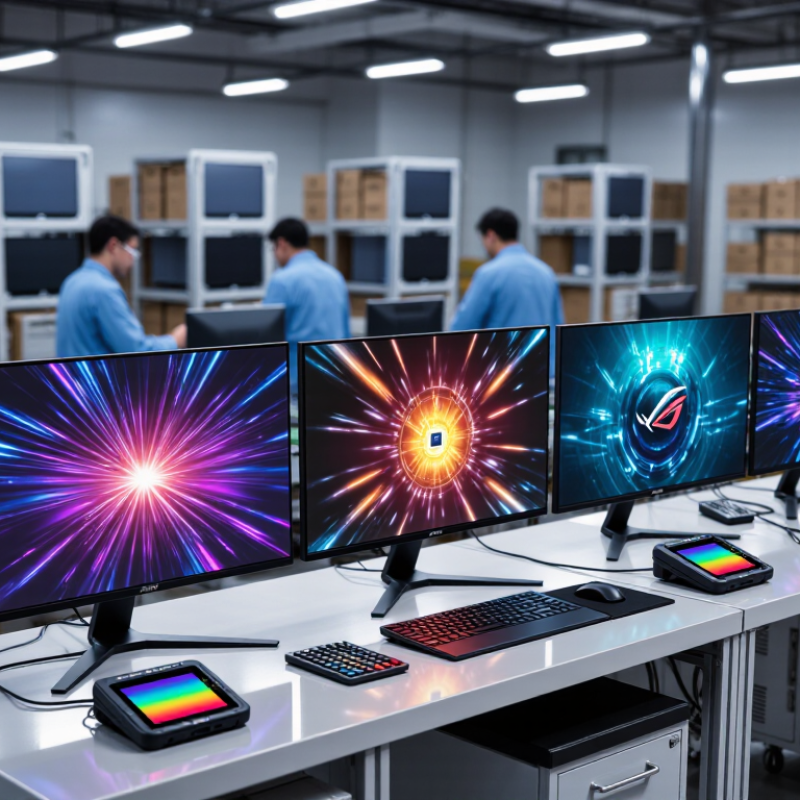
A strong gaming monitor supplier is more than a factory with an impressive product sheet. Buyers should check whether its engineering team can explain panel options, refresh-rate limits, response-time testing, and calibration methods in plain terms. Clear answers matter. Ask how each production batch is checked, and request test records for brightness uniformity, dead pixels, and input connections.
A working sample can reveal details that a specification table misses. Test it with fast motion, dark scenes, and long sessions. Look for smearing, uneven backlighting, unstable stands, or menus that are difficult to navigate. These checks take time. Still, they can expose issues before a large order is placed. Confirm that the sample uses the same components and firmware planned for production; otherwise, the comparison may be misleading.
Reliable suppliers also communicate changes early. They should provide realistic lead times, explain how they handle defects, and keep replacement parts available. Ask for written inspection criteria and a clear process for tracking problems. A polished sales reply is not enough. Production consistency is harder to judge, especially when specifications change between batches. I would not treat the lowest quote as proof of value; a small cost saving can become frustrating if quality checks or technical support are weak. A supplier’s willingness to discuss limitations is often a useful sign.

Comparing Chinese gaming monitor manufacturers starts with evidence, not a glossy catalog.
TrendForce’s 2024 monitor-market outlook projected global monitor shipments at about 125.9 million units, showing the scale of a competitive supply chain. That figure covers all monitors, not gaming models, so ask suppliers for gaming-specific production and defect data.
Request a sample and check refresh-rate stability, pixel defects, brightness uniformity, and color accuracy. A “1 ms” claim means little without the test method; ask whether it refers to GtG or MPRT. Small detail. It matters.
Compare factories on process control and support, not only unit price. Ask for the exact panel specification, written quality limits, aging-test duration, and inspection records from recent production lots.
Check whether the supplier can share test results across multiple units, rather than one carefully selected sample. I would not trust one polished sample alone. It may not represent a full shipment.
Review production capacity, component traceability, warranty terms, spare-part availability, and response times for defects. Independent audits and relevant safety and electromagnetic-compatibility test reports add useful evidence, but verify that documents match the model you plan to order.
If possible, visit the line and watch operators test a finished monitor. A short visit can reveal more than another sales call.
When evaluating gaming monitors from suppliers in China, look beyond headline specifications. Refresh rate matters, but it should match the panel’s resolution and the graphics hardware most buyers use. A 27-inch display at 1440p can offer a useful balance of sharp detail and responsive play. Numbers need context. Ask whether the stated refresh rate is supported through the supplied ports, and check for adaptive sync compatibility.
Response-time claims also need careful reading. Different test methods can produce very different figures, so request the measurement conditions rather than relying on the smallest number in a listing. Check motion clarity on a sample unit, especially in dark scenes where smearing may be easier to notice. Panel type affects contrast, viewing angles, and color; neither the fastest nor the brightest option suits every player. Test it yourself. Also inspect stand adjustment, screen coating, pixel policy, and cable inclusion. These small details affect daily use.
For supplier evaluation, request a specification sheet, sample testing, and records showing that production units match the approved sample. Confirm the warranty process and how defective units are handled before placing a large order. This can feel tedious, and a sample cannot reveal every production variation. Still, consistent quality checks and clear technical answers are stronger signals than a polished specification table.
| Evaluation Area | What to Check | Practical Reference | Why It Matters | Evidence to Request from a Supplier |
|---|---|---|---|---|
| Resolution and screen size | Confirm the native resolution, diagonal size, aspect ratio, and pixel density. | Common gaming formats include 24-inch Full HD, 27-inch QHD, and 32-inch 4K models. Suitability depends on viewing distance, graphics hardware, and intended use. | Resolution affects image detail and the rendering workload placed on the graphics card. | Product specification sheet, panel datasheet, and a sample displaying its native resolution. |
| Refresh rate | Check the native refresh rate and the maximum supported rate for each input and resolution. | Gaming models commonly offer refresh rates such as 144 Hz, 165 Hz, or 240 Hz. Higher rates require a compatible source device and connection. | A higher refresh rate can make motion appear smoother, particularly in fast-paced games. | Test report or on-screen display demonstration confirming the supported resolution and refresh-rate combinations. |
| Pixel response time | Review the response-time method, test conditions, and overshoot or inverse-ghosting results. | Marketing figures such as “1 ms” may use different measurement methods and overdrive settings, so they are not directly comparable by themselves. | Slow transitions can cause motion blur; excessive overdrive can create visible artifacts. | Independent or reproducible transition measurements, including the overdrive mode used. |
| Adaptive synchronization | Verify variable-refresh-rate support, the operating range, and compatibility with the intended graphics platform. | Support and refresh-rate ranges vary by model, input, resolution, and firmware. | Variable refresh rate can reduce tearing and stuttering when frame rates fluctuate. | Compatibility documentation and a demonstration across the stated operating range. |
| Panel type and viewing angles | Identify the panel technology and assess contrast, viewing angles, and motion behavior. | IPS, VA, and OLED panels have different characteristics; performance also varies between individual models. | Panel choice influences contrast, color consistency, viewing-angle performance, and response behavior. | Panel datasheet, sample inspection, and measured results for contrast and viewing angles. |
| Color and brightness | Check stated brightness, color gamut, bit depth, and whether values are typical or maximum. | Compare figures only when the measurement method and operating mode are stated. Color gamut coverage does not by itself establish color accuracy. | These characteristics affect visibility, color range, and suitability for mixed gaming and content-creation use. | Measurement report with test conditions, color-space coverage, and factory calibration information where applicable. |
| HDR performance | Check supported HDR formats and measured peak brightness, contrast, and local-dimming capability. | HDR format support alone does not guarantee a strong HDR experience; actual performance depends on the display hardware and implementation. | Meaningful HDR requires sufficient brightness and contrast to show highlights and darker details effectively. | HDR test results and a clear description of the backlight or pixel-level dimming system. |
| Ports and bandwidth | Confirm the exact HDMI and DisplayPort versions, supported features, and available USB or audio connections. | Maximum resolution and refresh rate depend on the port implementation, link bandwidth, color format, and source device. | Suitable connectivity helps ensure the monitor can reach its advertised gaming modes. | Port-by-port capability table and testing with the target resolution and refresh rate. |
| Ergonomics and mounting | Review stand adjustment, VESA mounting compatibility, screen tilt, and cable routing. | Check the actual adjustment range and mounting pattern for the specific model. | Adjustability supports a comfortable setup and makes installation easier. | Mechanical drawings, stand specifications, and confirmation of the VESA pattern. |
| Quality control and consistency | Ask how the supplier controls dead pixels, brightness uniformity, color variation, and functional defects. | Acceptance thresholds should be agreed in writing and applied consistently to production batches. | Clear inspection criteria help reduce disputes and unexpected variation between units. | Inspection checklist, sample test records, defect-classification rules, and batch inspection procedure. |
| Compliance and documentation | Confirm which safety, electromagnetic compatibility, and market-specific requirements apply to the destination market. | Required approvals depend on the product configuration and the countries where it will be sold. | Correct documentation supports regulatory review and market access. | Applicable test reports, certificates, model identification, and documentation matching the supplied configuration. |
| Warranty and after-sales support | Clarify warranty duration, coverage, repair or replacement process, spare-parts availability, and response times. | Terms should specify who handles shipping, diagnosis, and replacement for defective units. | Responsive support can reduce downtime and the cost of handling product issues. | Written warranty terms, service workflow, escalation contacts, and spare-parts policy. |
A reliable gaming monitor supplier should provide evidence, not just polished presentations. Ask for certificates that match the factory, product category, and current production site. Verify certificate numbers with the issuing organization, and check their scope and expiry dates. A document can look convincing and still be outdated. Request recent test reports for refresh rate, response time, color uniformity, and electrical safety. Confirm that the tested model matches the unit you plan to buy. Then inspect a production sample under your own test settings. Check for uneven backlighting, loose ports, and inconsistent menu controls. Small flaws matter.
Production capacity needs the same scrutiny. Ask for monthly output by model, current line utilization, and lead times for panels and key components. A factory tour, live video walkthrough, or independent audit can help confirm that equipment and staff are actually available. Review sample-to-mass-production records, defect rates, and corrective-action reports. For a trial order, compare several units from different cartons, not just one carefully selected sample. That takes extra time. It is worth it. I would also ask what happens when a panel supplier changes; this detail is easy to miss, and answers may be imperfect. Check whether the factory documents the change and repeats relevant tests before shipment.
When sourcing gaming monitors from China, compare suppliers by verified production capability, not catalog claims alone. TrendForce projected global gaming-monitor shipments at about 22.5 million units in 2024, roughly 8% above 2023. That forecast signals a competitive market, but it does not prove a supplier can meet your specifications. Ask for current panel data, refresh-rate test results, and sample units from the actual production line. Check brightness uniformity, dead-pixel handling, ports, and packaging strength. A monitor can look excellent on a showroom desk and still arrive with uneven backlighting.
Review the supplier’s quality-control process and request records from a recent production run. Confirm how it tests response time and refresh rate; measurement methods can affect the results. Clarify minimum order quantities, sample fees, production lead times, and what happens when units fail inspection. A third-party factory audit can help verify equipment and processes, though it cannot guarantee every shipment. No checklist catches everything. Even a strong sample may hide production variation, so define acceptable defect rates in writing before placing an order.
Tips
Test samples with fast-moving scenes and fine text, not only bright demo videos. Ask for a dated test report and keep a signed “golden sample” for comparison. Small details matter. Check that carton dimensions, cable contents, and on-screen menus match your market needs before production begins.