2026 Best Aio Cooler Radiator for Optimal PC Cooling?
The gaming world thrives on optimal performance. To achieve this, an Aio Cooler Radiator is essential. It keeps your CPU cool, enhancing performance during intense gaming sessions.
Many PC builders overlook the importance of cooling solutions. A reliable Aio Cooler Radiator can dramatically impact system temperature. When temperatures rise, hardware can throttle. This results in lag and reduced performance. Choosing the right radiator requires careful consideration. Size, compatibility, and fan efficiency are key factors.
Often, users choose based on aesthetics or brand reputation. Yet, it's crucial to reflect on actual performance. Some coolers may look great but fail in function. Balancing looks and efficiency can create a cooling solution that excels. Ultimately, understanding how an Aio Cooler Radiator works will lead to better decisions. Your hardware deserves the best cooling available.
Understanding AIO Coolers: What They Are and How They Work
AIO coolers, or All-In-One coolers, have become popular among PC enthusiasts. These systems integrate a pump, radiator, and fans into a single unit, offering efficient cooling. According to recent industry data, AIO coolers can reduce CPU temperatures by an average of 15-20 degrees Celsius compared to traditional air coolers. This significant decrease in temperature enhances performance.
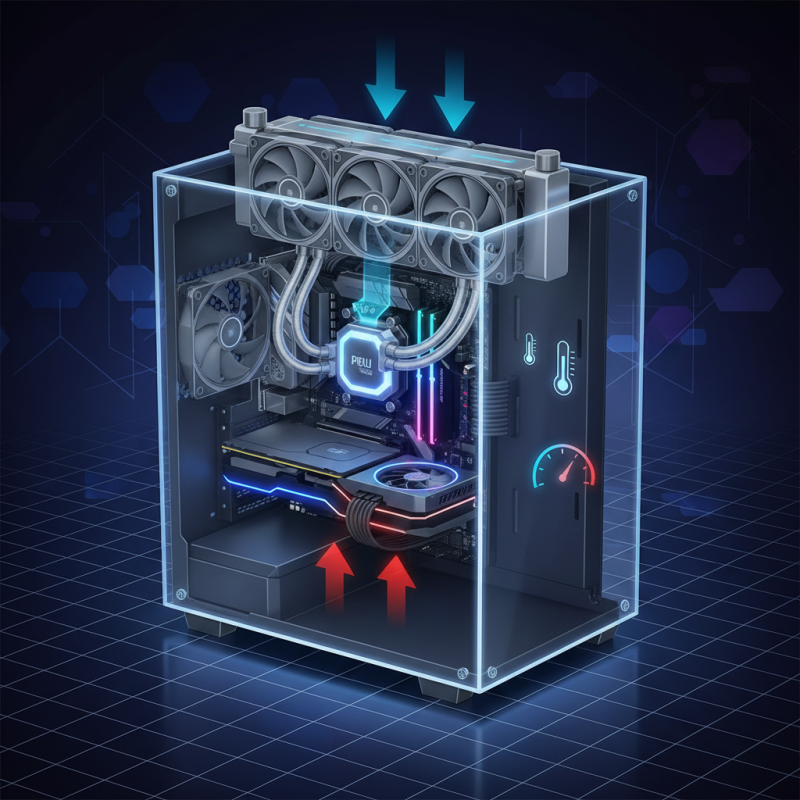
Understanding their mechanics is crucial. AIO coolers use liquid coolant to absorb heat from the CPU. This coolant then flows to the radiator, where fans dissipate the heat. Interestingly, while AIO systems are known for their effectiveness, they can also present challenges. They may experience pump failures or airflow issues if not installed properly.
Installation can be a tricky process. Many users overlook the placement of the radiator, which can lead to suboptimal performance. Thus, it’s essential to research the layout of your case. Regular maintenance is often neglected as well. This oversight can result in increased temperatures and reduced lifespan of components. Overall, AIO coolers offer impressive cooling, but require careful consideration and attention to detail.
Key Features to Look for in an AIO Cooler Radiator
When choosing an AIO cooler radiator, the radiator size is critical. A larger radiator typically allows for better heat dissipation. Radiators come in various sizes, usually ranging from 120mm to 360mm. Bigger radiators can cool more efficiently, but they also require more space in your case. The compatibility with your setup is important. Make sure that your PC case can accommodate the chosen radiator size.
Another key feature is the pump design. An efficient pump ensures that coolant circulates effectively, maintaining optimal temperatures. Look for pumps with adjustable speeds for better control. Noise levels are also crucial; some models run silently, while others may produce significant sound. A balance between performance and noise often becomes a matter of trial and error.
Fans play a vital role too. Adjustable fan speeds can adapt to your cooling needs. Look for fans with high static pressure if you need them to push air through dense radiators. Lastly, while features like RGB lighting are appealing, they shouldn't be your primary concern. Focus on the cooling performance first. Some users find they have to reconsider their priorities after setup. Good aesthetics mean little if your PC overheats.
2026 Best Aio Cooler Radiator for Optimal PC Cooling
| Model |
Radiator Size (mm) |
Fan Type |
Fan Speed (RPM) |
Noise Level (dBA) |
Cooling Performance (°C) |
Price ($) |
| Model A |
240 |
PWM |
1200 - 2400 |
18 |
30 |
120 |
| Model B |
360 |
Standard |
1000 - 2000 |
20 |
28 |
140 |
| Model C |
120 |
Dual-Pump |
600 - 1800 |
25 |
35 |
100 |
Top 5 AIO Coolers for 2026: Performance and Efficiency Comparisons
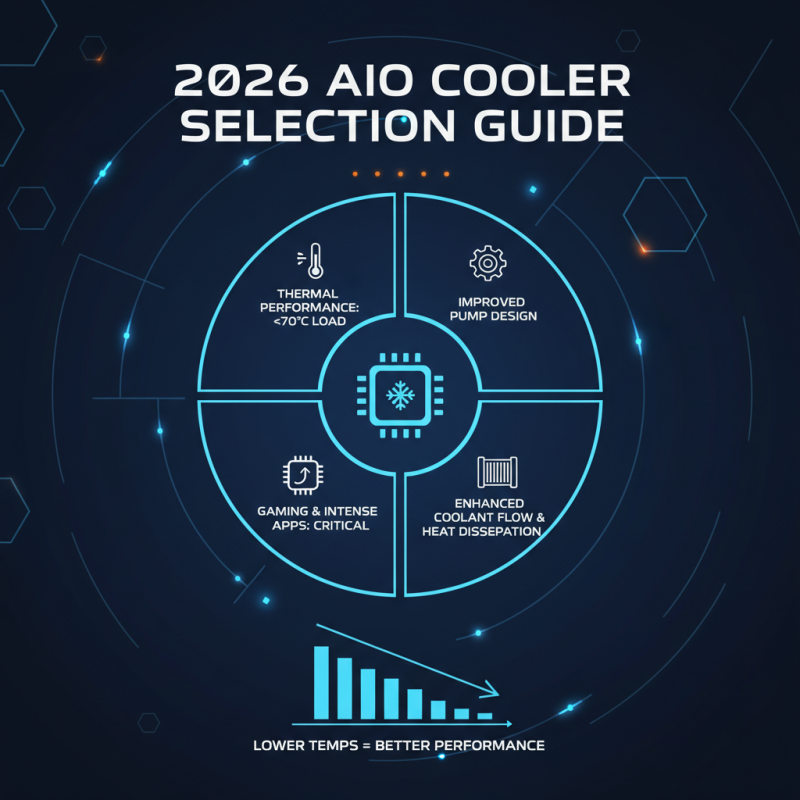
When selecting an AIO cooler for 2026, several factors should be considered. Thermal performance stands out as a key metric. Reported data indicates that efficient AIO coolers can maintain CPU temperatures under 70°C during high loads. This is vital for gaming and intensive applications. Many models now utilize improved pump designs, enhancing coolant flow and reducing heat dissipation times.
In recent comparisons, noise levels have also emerged as a significant concern for users. Some AIO coolers operate at an impressive sound level of around 30 decibels while maintaining optimal cooling. However, others can peak at 40 decibels, which can be disruptive. It's essential to balance performance with acoustics.
Energy efficiency is another area for reflection. Some options might seem powerful but consume considerable power, leading to higher electricity bills. Trends show a push for designs that maximize cooling with minimal energy use. This shift is crucial as gamers demand better performance without sacrificing efficiency. Users must assess their needs and choose wisely. The right AIO cooler can make a difference in overall PC performance and longevity.
Installation Tips for Optimal AIO Cooler Performance
When installing an AIO cooler, proper orientation is crucial. Position the radiator so that air flows through it efficiently. Ensure that the fans are set to intake from the front or top of the case. This will enhance airflow within the PC. Don't forget to check for clearance. Sometimes, larger radiators can block RAM slots or other components.
Bolt the pump securely onto the CPU. Apply thermal paste evenly for maximum contact. If unsure, use a pea-sized amount in the center. Overapplication can create a mess and reduce performance. When mounting the AIO, avoid applying too much pressure, as this can damage the CPU.
Testing is important after installation. Check temperatures periodically to ensure the cooler is functioning properly. Listen for any unusual noises, which can indicate issues like air bubbles in the loop. Adapting to the quirks of your setup is key. Each installation teaches something new, so embrace the learning process.
2026 AIO Cooler Performance Comparison
Maintenance and Care for Longevity of AIO Cooling Systems
Proper maintenance of AIO cooling systems is crucial for longevity and performance. According to industry reports, over 40% of cooling failures arise from neglecting routine maintenance. Users often overlook dust accumulation in radiators. This dust can significantly reduce cooling efficiency. Regular cleaning can enhance airflow and improve temperatures by up to 10%.
Another important aspect is monitoring coolant levels. Over time, coolants can evaporate or become contaminated. A drop in coolant can lead to overheating and subsequent hardware damage. It's advisable to inspect coolant levels every six months. Additionally, replacing the coolant every two to three years can further extend the lifespan of the system.
Users should also pay attention to pump noise. A loud pump may signal trouble. It might indicate that the pump is working harder than it should, which can be a precursor to failure. Keeping the pump running smoothly is essential. Regular checks and timely replacements are part of a comprehensive maintenance routine.